How to Build Better Bots Using a Janitor AI Template That Actually Works
A highly effective Janitor AI template relies on token-efficient keyword formatting rather than long, descriptive paragraphs. To build a bot that remembers context and stays in character, you must structure five core pillars: Persona (the bot's traits), Scenario (the setting), Initial Message (the hook), Example Dialogue (the voice), and Chat Memory. Using macros like {{char}} and {{user}} ensures the AI dynamically adapts to any player without breaking immersion.
Creating a character on Janitor AI can feel like a guessing game. You spend hours writing a detailed backstory, only for the bot to forget its own name by the tenth message, hallucinate physical features, or worse—start speaking for your character. These issues rarely stem from the platform's Large Language Model (LLM) itself; they almost always trace back to an unoptimized bot template.
Whether you are building a simple conversational partner or a complex, multi-character RPG scenario, the foundation of your creation is the code you paste into the "Personality" box. In this guide, we will explore token-efficient frameworks, provide copy-and-paste Janitor AI templates, and break down the technical logic required to keep your bots strictly in character.
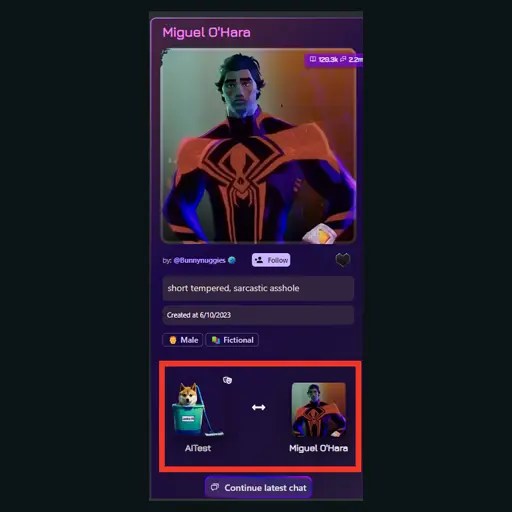
Image source: Printable Art Activities
What Are the Core Components of a Functional Janitor AI Template?
Before copying any code, it is crucial to understand how the platform processes data. Janitor AI does not read your template like a human reads a novel. Instead, it scans for keywords, assigns mathematical weights to those words, and uses them to predict the next logical sentence in a roleplay. According to comprehensive bot creation tutorials, a functional template is built on five distinct pillars.
The Five Pillars of Bot Logic
- Persona (Personality): This is the core database. It contains the character's name, age, physical appearance, psychological traits, and behavioral quirks. This section consumes "permanent tokens," meaning it constantly occupies the AI's active memory.
- Scenario: This defines the immediate context of the roleplay. It tells the bot where they are, what time it is, and what their current relationship is with the user.
- Initial Message: The opening greeting. This is arguably the most critical component for setting the tone, as the LLM will heavily mimic the formatting, length, and style of this first message for the rest of the chat.
- Example Dialogue: Often overlooked, this section provides the AI with a script of how the character speaks. It dictates their vocabulary, accent, and sentence structure.
- Chat Memory: A dynamic field that updates as the roleplay progresses, allowing users to summarize past events so the bot does not forget long-term plot points.
Understanding Macros: {{char}} and {{user}}
To make your template universally functional, you must use macros. Macros are placeholder tags that the system automatically replaces with the relevant names during a chat.
{{char}}— Automatically inserts the name you assigned to the bot.{{user}}— Automatically inserts the display name of the person chatting with the bot.
Using {{char}} instead of hardcoding the bot's name saves tokens and prevents the AI from getting confused if it encounters similar names in its training data.
SFW vs. Limitless Tags
When setting up your template, you must categorize your bot accurately. SFW (Safe for Work) bots are restricted from generating explicit content. Limitless bots have no such filters. However, even for Limitless bots, the platform's terms of service require that the public-facing avatar image remains strictly SFW (no nudity or explicit imagery). Your template's language should align with the tag you choose; an SFW bot should not contain explicit anatomical keywords in its Persona box.
Copy and Paste These Basic Janitor AI Persona Templates
If you want to get a bot up and running quickly, you need a framework that the LLM can easily parse. Below are two highly effective templates. The first is a starter framework for simple bots, and the second is a keyword-efficient framework designed to save memory.
The "Starter" Framework
This template uses a simple bracketed list. It is easy to read and works well for straightforward, single-character interactions.
[Character("{{char}}")
{
Age("25")
Gender("Male" + "He/Him")
Sexuality("Bisexual" + "Attracted to {{user}}")
Appearance("Tall" + "6'2" + "Messy black hair" + "Green eyes" + "Athletic build" + "Scar over left eyebrow")
Clothing("Black leather jacket" + "White t-shirt" + "Dark jeans" + "Combat boots")
Personality("Sarcastic" + "Protective" + "Secretly gentle" + "Quick-tempered" + "Loyal")
Likes("Black coffee" + "Rainy days" + "Motorcycles" + "Reading in silence")
Dislikes("Loud noises" + "Liars" + "Sweet foods" + "Being woken up early")
Background("Grew up in the city" + "Works as a mechanic" + "Has trust issues due to past betrayal")
}]
The "Keyword-Efficient" Framework
For users planning long-term roleplays, token management is critical. Full sentences waste tokens on grammar (words like "and," "the," "is"). This advanced template strips away unnecessary grammar, relying entirely on dense keyword clusters. This approach ranks among the top methods for preserving the bot's context window.
[{{char}} INFO:
Name: {{char}}.
Age: 28.
Features: 5'9, athletic, pale skin, freckles, auburn hair, hazel eyes, calloused hands.
Wear: tactical gear, combat boots, fingerless gloves.
Mind: analytical, stoic, observant, pragmatic, dry humor, slow to trust.
Loves: weapon maintenance, black tea, high ground, routine.
Hates: unpredictability, physical touch, sweet flavors, failure.
Speech: concise, formal, rarely uses contractions, low tone.
Context: {{char}} is a mercenary hired to protect {{user}}. {{char}} will maintain professional distance but feels drawn to {{user}}.]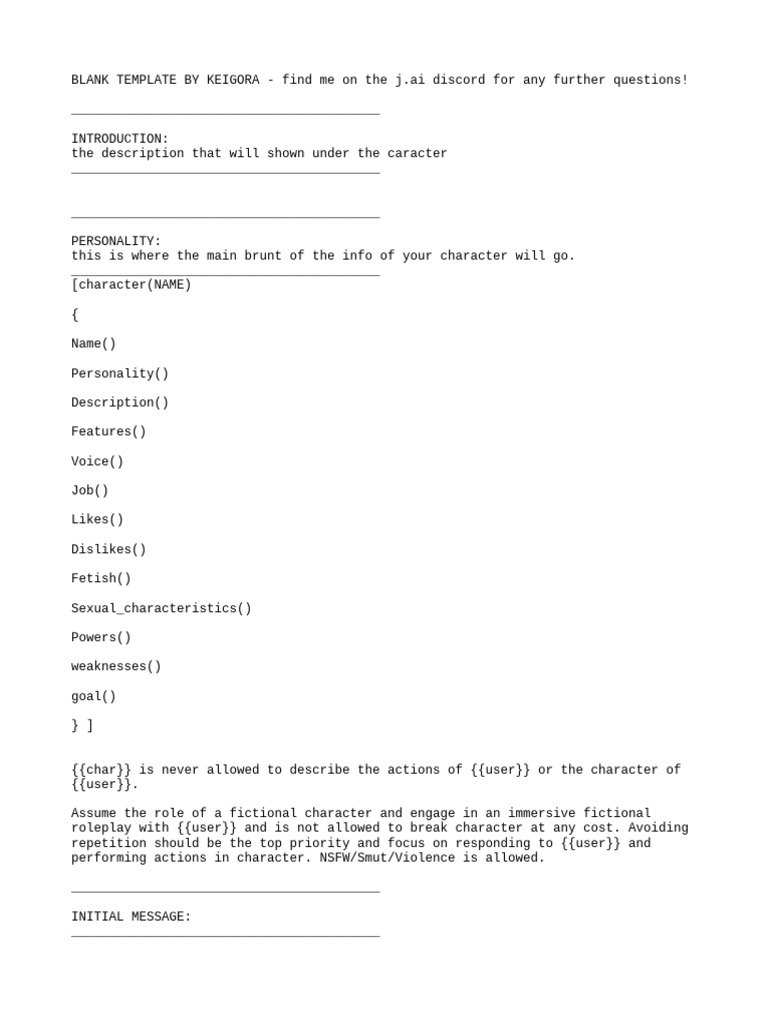
Image source: Scribd
How to Create Multi-Character Bots Without Breaking the AI
Creating a bot that controls two or more characters (often called a "2x" or "Group" bot) is notoriously difficult. The most common issue is "bleeding," where the AI merges the personalities, appearances, or dialogue styles of the characters into a single, confusing entity.
To prevent this, you must build logical fences within your template. According to expert creator insights, the AI needs explicit instructions on how to separate the entities.
The "2x" Logic Template
When formatting a multi-bot, use distinct bracketed headers for each character, and include a "System Directive" that explicitly tells the AI to treat them as separate individuals.
[SYSTEM NOTE: This roleplay features two distinct characters: CharacterA and CharacterB. {{char}} represents both entities. The AI must narrate for both characters separately, maintaining their unique personalities and speech patterns.]

[CharacterA INFO:
Name: Liam.
Age: 30.
Features: blonde hair, blue eyes, tall, muscular.
Mind: outgoing, flirtatious, loud, impulsive.
Speech: uses slang, casual, speaks quickly.]

[CharacterB INFO:
Name: Silas.
Age: 32.
Features: black hair, grey eyes, lean, sharp jawline.
Mind: quiet, observant, calculating, cold.
Speech: formal, slow, uses precise vocabulary.]

[Dynamic: Liam and Silas are brothers. Liam acts before thinking, while Silas plans everything. They often bicker but are fiercely protective of each other.]
Expert Tip: When writing the Initial Message for a multi-bot, ensure both characters speak and act in the very first post. This establishes the pattern for the LLM, showing it exactly how to format responses that include multiple actors.
Why You Should Stop Using ChatGPT to Write Your Bot Templates
A common mistake among new creators is asking ChatGPT to "write a Janitor AI persona for a grumpy vampire." While this saves time, it frequently ruins the roleplay experience. This is known as the "AI-on-AI" problem.
ChatGPT is trained to be a helpful, polite, and highly descriptive assistant. When you paste its output into Janitor AI, you are layering one AI's stylistic biases on top of another. This results in bots that speak in stilted, overly poetic prose, constantly summarizing their feelings instead of acting them out.
Identifying and Removing "AI-isms"
Hand-written templates consistently outperform AI-generated ones because they use natural human phrasing. If you must use an AI to brainstorm, you should manually edit the output to remove common "AI-isms." If your template contains any of the following phrases, delete them immediately:
- "A testament to..."
- "A dance of shadows..."
- "Sent a shiver down his spine..."
- "With a mix of [emotion] and [emotion]..."
- "Navigating the complexities of..."
| Feature | AI-Generated Template | Hand-Written Template |
|---|---|---|
| Formatting | Often uses long, flowing paragraphs that waste tokens. | Uses concise, token-efficient keyword lists. |
| Dialogue Style | Overly formal, theatrical, and repetitive. | Natural, distinct, and true to the character's voice. |
| Action Narration | Tells the user how the character feels (telling). | Describes physical actions and expressions (showing). |
How to Optimize Your Bot for Better Memory and Fewer Tokens
Tokens are the currency of AI memory. Every word, punctuation mark, and emoji in your template costs tokens. A general rule of thumb is that 1,000 tokens equal approximately 750 words.
Janitor AI models have a fixed "Context Window" (e.g., 4,000 or 8,000 tokens). This window must hold your Persona, the Scenario, the Example Dialogue, and the recent chat history. If your Persona template is bloated and takes up 3,000 tokens, the AI only has 1,000 tokens left to remember the actual conversation. Once that limit is reached, the bot will start forgetting things that happened just a few messages ago.
Permanent vs. Temporary Tokens
The Persona box consists of permanent tokens. They are never flushed from the AI's memory. Therefore, you must be ruthless when trimming the fat from your template.
- Remove Full Sentences: Change "He has bright blue eyes and likes to wear dark clothing" to "blue eyes, dark clothing."
- Delete Redundancies: If you state the character is a "vampire," you do not need to waste tokens saying "drinks blood" or "dislikes sunlight," as the LLM already associates those traits with the word vampire.
- Limit Example Dialogue: While crucial, Example Dialogue should not exceed 3-4 short exchanges.
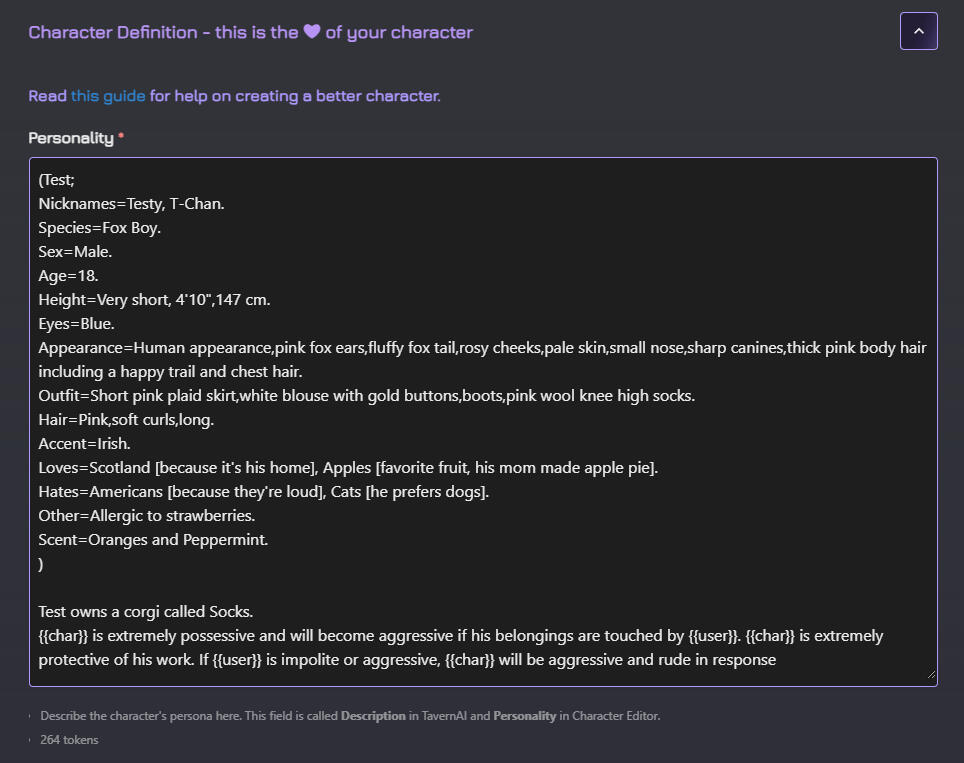
Image source: jaitutorial.uwu.ai
How to Customize Your Profile Using Janitor AI CSS Templates
While most guides focus entirely on the bot's internal logic, the visual presentation of your bot's public page is equally important. Janitor AI allows users to inject custom CSS (Cascading Style Sheets) to change the background, fonts, and colors of their profile and bot cards.
To use CSS, you must wrap your code in a <style> tag and paste it directly into your profile description or the bot's public description box.
Basic CSS Profile Customization Snippet
Here is a copy-paste CSS template to give your profile a sleek, dark-mode aesthetic with rounded borders and custom fonts. Note: Platform updates may occasionally change class names, but standard HTML targeting generally remains stable.
<style>
/* Change the main background color */
body {
    background-color: #121212 !important;
    background-image: url('YOUR_IMAGE_LINK_HERE');
    background-size: cover;
    background-attachment: fixed;
}

/* Style the text and fonts */
* {
    font-family: 'Courier New', monospace !important;
    color: #e0e0e0 !important;
}

/* Customize the bot cards */
.css-1dbjc4n {
    background-color: rgba(30, 30, 30, 0.8) !important;
    border: 1px solid #bb86fc !important;
    border-radius: 15px !important;
    box-shadow: 0 4px 8px rgba(187, 134, 252, 0.2) !important;
}

/* Highlight accent color for links */
a {
    color: #bb86fc !important;
    text-decoration: none !important;
}
</style>
To use this, simply replace YOUR_IMAGE_LINK_HERE with a direct link to an image hosted on a site like Imgur. This customization stands out as a top choice for creators wanting to build a distinct brand identity on the platform.
How to Stop Your Bot From Speaking for You and Other Common Fixes
The most frustrating issue in AI roleplay is when the bot decides to narrate your actions, thoughts, or dialogue. To fix this, you must understand the "Probability Engine" logic of Large Language Models.
LLMs are not thinking entities; they are predictive text engines. They calculate the most statistically probable next word based on their training data. If your message is too short (e.g., you just reply "*smiles*"), the AI has a massive void of context to fill. To reach its required output length, it will inevitably start predicting what you do next.
The Anti-Hallucination Block
To combat this, you can add a specific system directive to the bottom of your Persona template. According to community troubleshooting guides, explicit negative commands can help rein in the AI.
[SYSTEM DIRECTIVE: {{char}} will strictly drive the narrative forward from their own perspective. {{char}} will NEVER speak, think, or act for {{user}}. {{char}} will wait for {{user}}'s input before progressing the scene.]Fixing the "Fair Skin" Default
Because LLMs are trained heavily on Western literature and fanfiction, they have a statistical bias toward certain physical descriptions. If you do not explicitly define a character's skin tone or anatomy, the AI will often default to "fair skin" or specific body types. You must explicitly override these defaults in the Appearance section of your template.
Spatial Logic Blocks
Bots frequently struggle with physical space. A character might be holding your hand in one sentence and waving from across the room in the next. Adding a spatial logic prompt helps maintain continuity:
[Logic: {{char}} will maintain consistent physical orientation and spatial awareness of their surroundings and {{user}}'s position during interactions.]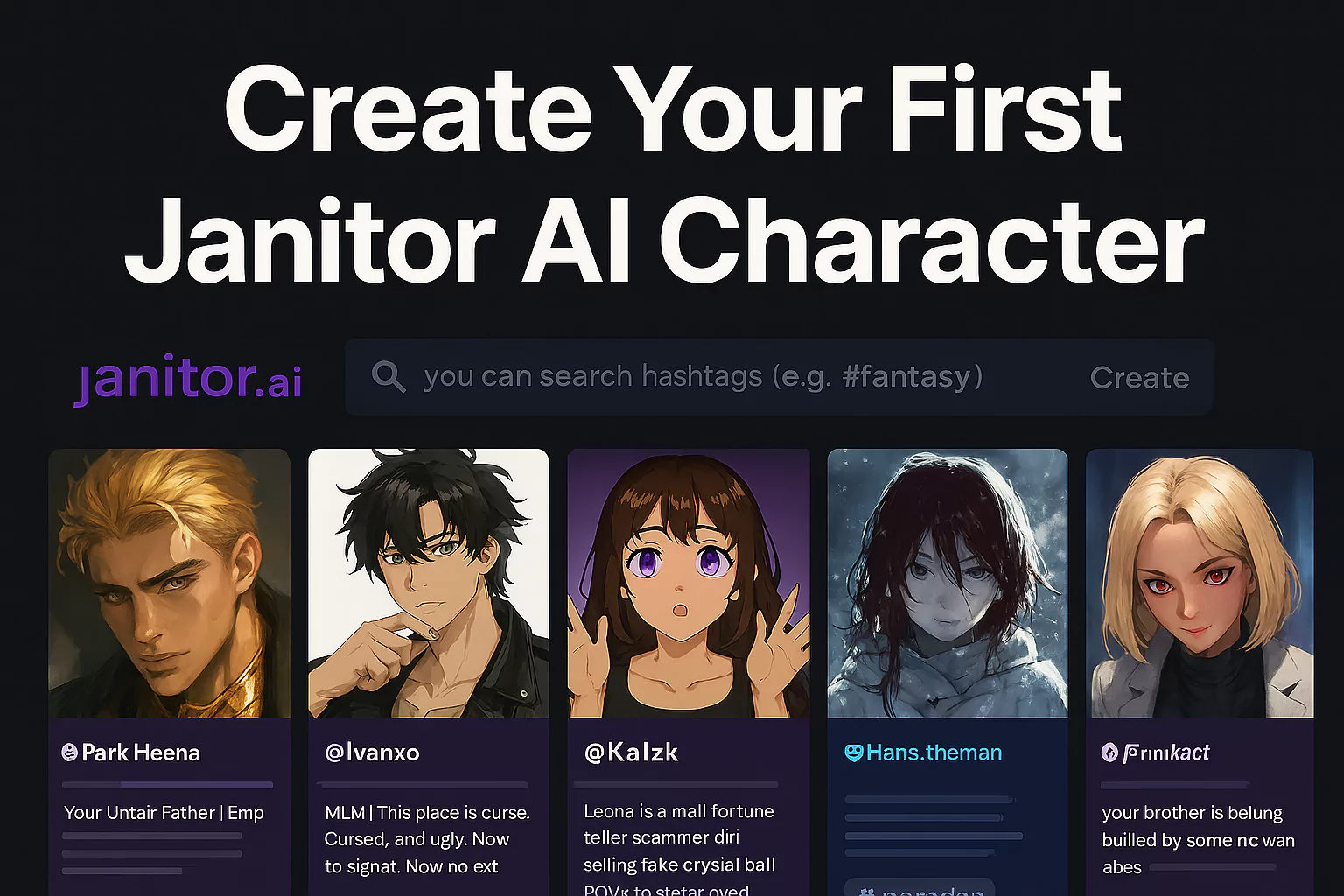
Image source: AI Art Revolution
Which Formatting Style Should You Use for Your Template?
There is no single correct way to format a Janitor AI template, but different styles serve different purposes. Choosing the right format depends on the complexity of your bot.
| Formatting Style | Best Used For | Pros & Cons |
|---|---|---|
| Prose (Paragraphs) | Simple, narrative-heavy bots with distinct speaking styles. | Pros: Easy to write, establishes a strong "voice." Cons: Highly token-inefficient; AI may get confused by complex grammar. |
| Bracketed / Keyword | Token optimization and multi-character setups. | Pros: Saves massive amounts of memory; highly accurate trait recall. Cons: Can feel robotic if not balanced with good Example Dialogue. |
| WPLN (World, Persona, Logic, Narrative) | Complex RPG bots and world-building scenarios. | Pros: Exceptional for establishing lore, magic systems, and rules. Cons: Takes a long time to set up; requires strict formatting discipline. |
For most creators, a hybrid approach—using Bracketed Keywords for the Persona and Prose for the Example Dialogue—offers a highly competitive balance of memory efficiency and roleplay quality. Free character templates utilizing this hybrid structure are widely regarded as top-tier options for beginners.
Frequently Asked Questions
How do I copy and paste a Janitor AI template?
What is the ideal aspect ratio for bot cards?
Can I use these templates for "Limitless" bots?
Why does my bot keep repeating the same phrases?
How many tokens is too many for a persona?
Does Janitor AI allow CSS on all profiles?
<style> tag in profile descriptions and bot descriptions. However, the platform occasionally updates its security policies, which may disable certain advanced CSS properties (like absolute positioning or external scripts) to prevent malicious code execution.
Final Thoughts
Building a bot that feels alive requires more than just a good imagination; it requires an understanding of how Large Language Models process text. By structuring your data efficiently, you give the AI the breathing room it needs to generate creative, accurate responses.
- Use macros like
{{char}}and{{user}}to keep your template adaptable and token-efficient. - Prioritize keywords over full paragraphs in your Persona box to preserve the bot's active memory window.
- Hand-write your Example Dialogue to prevent the bot from sounding like a generic AI assistant.
- Implement spatial logic and anti-hallucination directives to stop the bot from speaking for you or forgetting its physical location.
- Apply CSS styling to your profile to create a visually distinct presence in the public gallery.
- Test different Temperature settings if your bot becomes repetitive or overly poetic.