How to Claim Your Free 1-Year Gemini Advanced Student Offer
As of June 2026, eligible higher education students can claim a 12-month trial of Google AI Premium (Gemini Advanced) at no cost. To redeem the offer, you must visit the official landing page at one.google.com/ai-student, sign in with a personal Gmail account (not your school email), and verify your enrollment status using the integrated SheerID system.
Artificial intelligence has rapidly transitioned from a novelty to an essential academic utility. For students managing heavy course loads, complex research papers, and dense syllabi, having access to a high-capacity AI model can significantly streamline the studying process. Google has recognized this shift by offering a substantial student discount: a full year of Gemini Advanced for free.
This offer provides access to the Gemini 1.5 Pro model, which features an exceptionally large 1-million-token context window, alongside premium integrations into Google Workspace applications like Docs and Slides. However, navigating the signup process has proven frustrating for many users, primarily due to confusion surrounding school-issued email accounts and region-specific eligibility requirements.
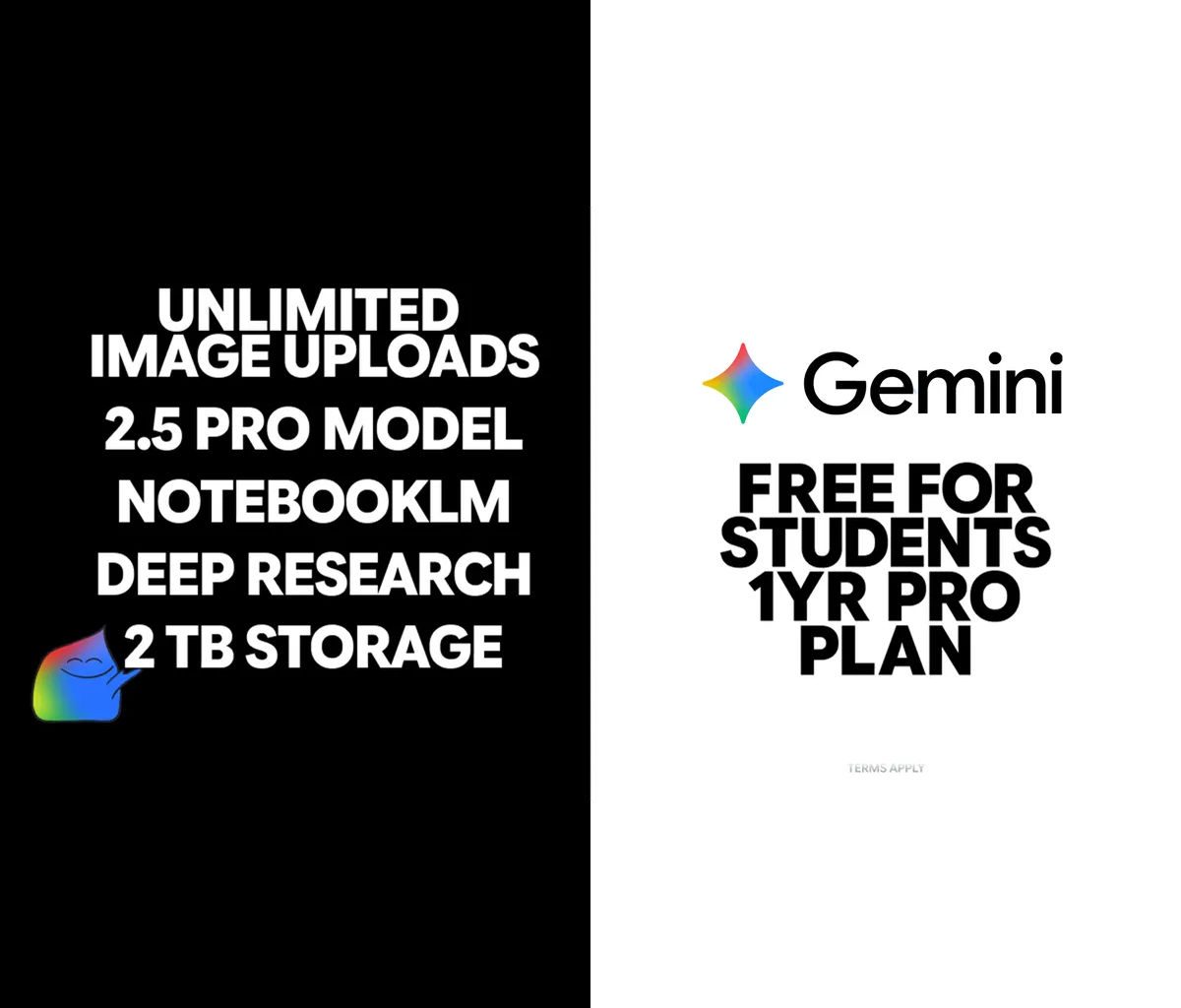
Image source: Gadget Pilipinas
Who Is Actually Eligible for the 12-Month Gemini Student Trial?
Before attempting to claim the offer, it is crucial to understand Google's strict eligibility criteria. The promotion is not universally available to anyone with a student ID; it is governed by age, geographic location, and account status.
Age Requirement
You must be at least 18 years old. Google enforces this based on the birthdate associated with the Google account you use to sign in. If your account is registered to a minor, the offer will not appear.
Enrollment Status
You must be actively enrolled in a higher education institution (college or university) that grants degrees. High school students are generally excluded from this specific tier of the promotion.
Geographic Location
The offer is region-locked. While available in the United States and several other major markets, students in certain countries may find the offer unavailable due to local regulatory compliance regarding AI services.
The Existing Subscriber Conflict
According to Google One support discussions, this 1-year trial is primarily intended for users who do not currently have an active Google One subscription. If you are already paying for a 100GB or 200GB Google One storage plan, you may encounter an error stating your account is ineligible. In some regions, Google offers an "upgrade path" for existing basic subscribers, but the most reliable way to claim the full 12 free months is on an account without an active premium storage plan.
How to Sign Up for Gemini Advanced Without Using a School Email
The single most common reason students fail to claim this offer is attempting to use their school-issued email address (e.g., student@university.edu).
To successfully claim the offer, you must employ what the community refers to as the "Two-Account Strategy." This involves separating your Google account identity from your academic verification identity.
The Two-Account Strategy
- Sign out of all accounts: Open an incognito or private browsing window to ensure no school accounts are automatically logged in.
- Sign in with a personal Gmail: Navigate to the official Gemini for Students page and log in using a standard, personal @gmail.com address. This is the account where your 12 months of Gemini Advanced and 2TB of storage will be applied.
- Initiate the claim: Click the "Claim Offer" button. You will be redirected to a verification portal.
- Use school credentials only for verification: When the SheerID prompt appears asking for your university details, this is where you input your school name and provide your academic documentation.
By following this workflow, your personal Google account receives the premium upgrade, while your student status is verified independently through a third-party service.
Step-by-Step Guide to Verifying Your Student Status via SheerID
Google partners with SheerID, a third-party identity verification service, to confirm academic enrollment. The process is generally automated, but understanding what documents are accepted can prevent frustrating delays.
Image source: Official Student Discounts & Verification Guides
What to Expect on the Verification Screen
Once you click through from the Google One landing page, the SheerID portal will ask for your country, the name of your institution, your first and last name, and your date of birth. It is vital that the name you enter here exactly matches the name on your university documents.
Accepted Documentation
If SheerID cannot automatically verify you through your institution's single sign-on (SSO) portal, you will be prompted to upload manual documentation. Accepted documents typically include:
- A current, valid student ID card showing an expiration date in the future.
- An official class schedule for the current academic term.
- A tuition receipt for the current semester.
- An official enrollment letter from the university registrar.
If you are an incoming freshman and do not yet have a student ID card, an official acceptance letter combined with a recent tuition deposit receipt is often sufficient to pass manual review. Manual reviews by SheerID usually take between 20 minutes and 48 hours. You will receive an email at your personal Gmail address once the verification is approved, containing a final link to activate the Gemini Advanced subscription.
Why Does My Account Say Ineligible for the Gemini Student Offer?
Even when following the steps perfectly, some users encounter roadblocks. Based on community feedback and official documentation, here are the most common reasons for the "Account Ineligible" error and how to resolve them.
1. The Expiration Date Conflict
There is notable confusion regarding the exact expiration date of this promotional offer. According to some Google Help threads, users were told the offer expired on January 31. However, the official landing page has previously cited deadlines extending to March 11, 2026. This discrepancy suggests that Google rolls out the promotion in "waves" or phases based on regional marketing campaigns. If you see an ineligible error, check the fine print on the landing page to confirm the offer is currently active in your specific country.
2. Age Restriction Settings
If your personal Google account was created years ago and you never updated your birthdate, Google's system might still classify the account as belonging to a minor. Navigate to your Google Account settings (myaccount.google.com), click on "Personal info," and ensure your birthdate reflects that you are 18 or older.
3. Family Group Limitations
If your personal Gmail account is part of a Google Family Group, and the family manager pays for a shared Google One subscription, you cannot stack the Gemini student offer on top of it. You would need to leave the Family Group to claim the individual student promotion, which may result in losing access to other shared family services.
How to Use the 1-Million-Token Window for Academic Research
The most significant technical advantage of the Gemini Advanced student offer is access to the Gemini 1.5 Pro model, which features a massive context window. But what does this actually mean for a student?
- Token
- The basic building block of text processed by an AI. A token is roughly equivalent to 3/4 of a word. Therefore, 1 million tokens equals approximately 750,000 words.
- Context Window
- The total amount of information the AI can "hold in its active memory" during a single conversation. If you exceed the context window, the AI forgets the earliest information provided.
Standard free AI models typically have context windows ranging from 8,000 to 32,000 tokens. By upgrading to a 1-million-token window, students can execute workflows that are otherwise impossible.
Practical Application: The "Whole Semester" Upload
According to Google's feature breakdown, a 1-million-token window allows you to upload up to 1,500 pages of text at once. As a student, you can upload the syllabus, three full digital textbooks, and all your lecture notes for a specific class into a single Gemini prompt.
Once uploaded, you can ask the AI highly specific, cross-document questions, such as: "Based on the syllabus schedule for Week 4, synthesize the key arguments from Chapter 7 of the textbook and compare them to the lecture notes I took on Tuesday. Create a study guide highlighting the differences." Because the context window is so large, the AI does not hallucinate or forget the textbook material while reading your notes.
| Feature | Gemini Free (Standard) | Gemini Advanced (Student Offer) |
|---|---|---|
| Context Window | Standard (Limited document uploads) | 1 Million Tokens (~1,500 pages) |
| Model Version | Gemini Flash / Standard | Gemini 1.5 Pro |
| Google Workspace Integration | None | Built into Docs, Slides, Gmail |
| Cloud Storage | 15GB Default | 2TB Premium Storage included |
Maximizing Your Study Sessions with NotebookLM and Deep Research
While the standard Gemini chat interface is highly capable, the 1-year student subscription also unlocks premium features within other Google AI experimental tools, most notably NotebookLM.
The NotebookLM Audio Overview Synergy
NotebookLM is a specialized note-taking tool that grounds its AI responses strictly in the documents you upload. One of its most popular features is "Audio Overviews," which generates a realistic, podcast-style audio discussion based on your notes. With the Gemini Advanced subscription, students receive expanded capacity, allowing for up to 5x more Audio Overviews compared to free users. This is an excellent resource for auditory learners who want to listen to a summary of their study guides while commuting to campus.
Automating Literature Reviews with Deep Research
Another feature accessible via the premium tier is Deep Research. When tasked with writing a term paper, finding credible sources is often the most time-consuming step. Deep Research utilizes the Pro model's browsing capabilities to autonomously search hundreds of websites, synthesize the findings, and generate comprehensive research reports.
Instead of manually clicking through Google Scholar results for hours, a student can prompt Deep Research with a thesis statement. The AI will browse academic databases, compile relevant statistics, and output a structured literature review, complete with citations to the original web sources. This workflow ranks among the top methods for accelerating the early stages of academic writing.
Gemini Integration in Google Docs and Slides for Faster Assignments
Claiming the Gemini student 1-year offer also embeds AI directly into the Google Workspace applications you already use for schoolwork.
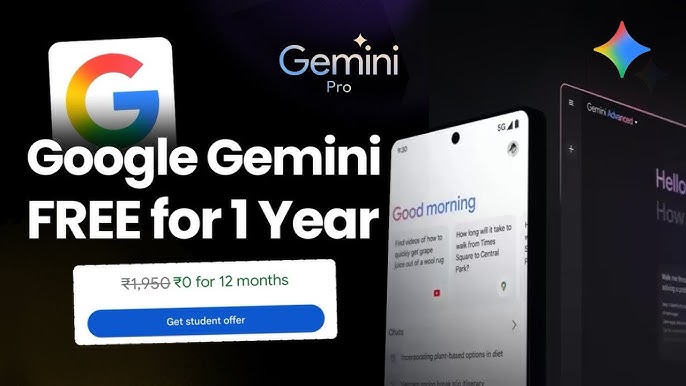
Image source: YouTube
"Help Me Write" in Google Docs
When you open a blank Google Doc, you will see a small pen icon with a sparkle. Clicking this opens the "Help me write" prompt. For students, this is particularly useful for overcoming writer's block. You can ask the tool to generate a detailed outline for a 10-page essay on the French Revolution, specifying the exact subtopics you need to cover. The AI generates the structural skeleton directly on the page, allowing you to fill in the academic research.
Automated Deck Creation in Google Slides
Group presentations are a staple of university life. With Gemini integrated into Google Slides, you can prompt the AI to generate a complete presentation draft based on a text prompt or a linked Google Doc. If you have already written your research paper in Docs, you can ask Gemini in Slides to "Create a 10-slide presentation summarizing the findings in [Link to Doc]." The AI will generate the slides, populate them with bullet points, and even suggest relevant stock imagery.
What Happens After Your Free Year of Gemini Advanced Ends?
A full year of premium AI access is a significant benefit, but it is vital to plan for what happens when the 12-month promotional period concludes. Because you must enter a payment method to activate the trial, the subscription will automatically renew at the standard monthly rate (typically around $19.99/month) on day 365.
The "Day 364" Checklist
To avoid unwanted charges while preserving your academic data, follow this strategy as your trial expiration approaches:
- Set a Calendar Reminder: Immediately upon signing up, set a calendar alert for 11 months and 3 weeks in the future to review your subscription status.
- Understand the Cancellation Policy: If you cancel your subscription through the Google One dashboard, you will retain access to Gemini Advanced and the 2TB of storage until the end of the current billing cycle (the end of your 12th month). You do not lose access the moment you click cancel.
- Manage Your Cloud Storage: This is the most critical step. The student offer includes 2TB of Google One storage. If you use 500GB of that space for photos and school files, and then your subscription reverts to the free 15GB tier, your account will be over quota. You will not lose your files, but you will be unable to send or receive emails via Gmail or upload new files to Drive until you delete data to get under the 15GB limit.
- Export NotebookLM Data: While your NotebookLM sources generally remain intact, it is a safe practice to export your most critical Audio Overviews and study guides to local storage before downgrading from the Pro tier.
Frequently Asked Questions
Can I use my school email for the Gemini student discount?
Is the Gemini student 1-year offer still available in 2026?
Does this offer include extra Google One storage?
What is the difference between Gemini free and Gemini Advanced for students?
Why is my Gemini student offer not showing up?
Can I get this offer if I already have Google One?
Final Thoughts
The 12-month Gemini Advanced student offer provides a highly competitive suite of tools that can fundamentally change how you approach academic research, note-taking, and writing. By understanding the specific signup requirements, you can bypass the common errors that frustrate many users.
- Use a personal Gmail: Never attempt to redeem the offer on a university-managed Workspace account.
- Verify via SheerID: Have your current student ID, transcript, or enrollment letter ready for the third-party verification process.
- Leverage the 1M token window: Upload entire syllabi and multiple textbooks simultaneously for comprehensive, cross-document analysis.
- Utilize NotebookLM: Take advantage of the expanded Audio Overviews to turn your study notes into personalized podcasts.
- Plan for month 12: Set a calendar reminder to manage your subscription and cloud storage before the auto-renewal charge hits.