How to Compare AI Avatar Platforms for Mobile Video Editing Success
Why Mobile-First AI Avatar Editing Is Changing Content Creation
The landscape of digital content has undergone a significant transformation in 2026. Creators are increasingly moving away from complex desktop setups in favor of "phone-only" workflows. This shift is driven by the demand for vertical video formats like TikTok, Instagram Reels, and YouTube Shorts, where speed and immediacy are paramount. When you compare AI avatar platforms for mobile editing, you aren't just looking at features; you are evaluating how well a tool fits into a pocket-sized production studio.
Mobile editing in this context refers to two distinct experiences: native applications designed specifically for iOS and Android, and mobile-responsive web tools accessed via browsers like Safari or Chrome. According to recent industry observations, the speed advantage is substantial; a 1-minute AI video can now render in approximately 45 seconds on a standard 5G connection, compared to the several minutes typically required for traditional high-resolution video exports [Source 2].
How HeyGen and Synthesia Compare on Small Screens
When evaluating the heavyweights of the industry, the distinction between a native app and a browser-based experience becomes clear. HeyGen stands out as a top choice for mobile users because it has achieved near-parity between its web and mobile versions. Its native app is specifically optimized for the vertical orientation, making it one of the strongest options for creators who need to generate content on the go.
HeyGen’s Native App Dominance
HeyGen’s mobile application provides a fluid interface that handles complex tasks like script editing and avatar selection with ease. One of its most notable features is the touch-optimized inflection slider. Unlike desktop versions where you might use a mouse for precise audio tuning, the mobile app uses haptic feedback and large sliders to help users adjust the tone and emotion of the AI voice without "fat-finger" errors. This level of UI consideration makes it a leading choice for professional-grade mobile production.
Synthesia’s Browser-Based Limitations
In contrast, Synthesia remains primarily a browser-based tool. While it offers a massive library of over 230 stock avatars and support for 140+ languages, the mobile browser experience can feel restrictive [Source 7]. Users frequently report "template rigidity," where the complex layouts of Synthesia’s corporate templates don't translate well to a 6-inch screen. Furthermore, technical reports indicate a common glitch where rendering can get stuck at 100% on mobile browsers like Arc or Safari, requiring a page refresh that can sometimes lose unsaved script changes.
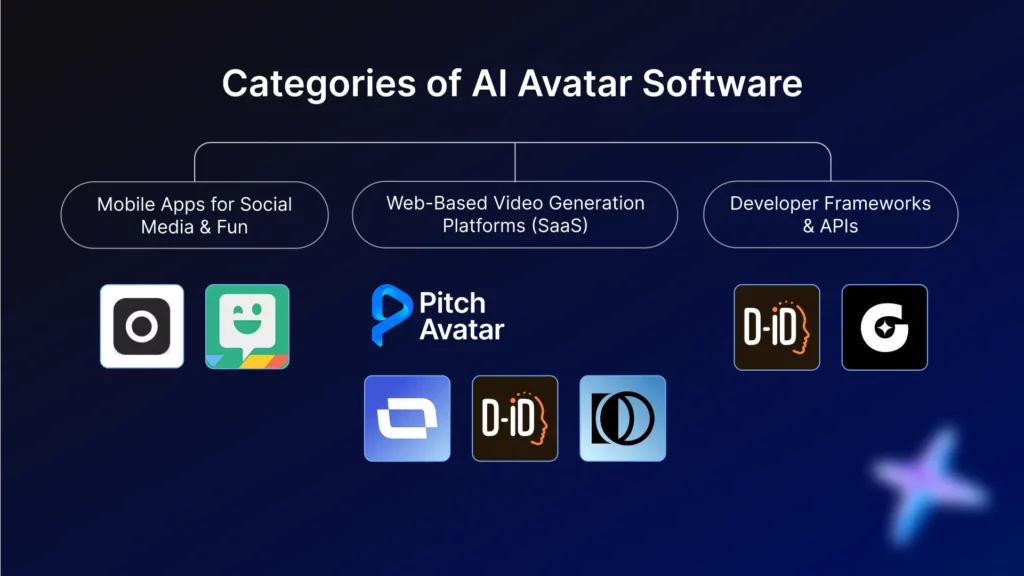
Image source: Pitch Avatar
| Platform | Native App | Touch-UI Ease | Biometric Security | Direct Social Export |
|---|---|---|---|---|
| HeyGen | Yes (iOS/Android) | High | Yes (FaceID) | Yes |
| Synthesia | Browser Only | Moderate | No | Limited |
| Pexo AI | Yes | High (Voice) | No | Yes |
| Zeely | Yes | High (Auto) | No | Yes |
| Visla | Yes | Moderate | No | Yes |
Create a Digital Twin in Minutes with HeyGen Instant Avatar 3.0
One of the most significant advancements in mobile AI is the ability to create a digital twin using nothing but your phone's front-facing camera. HeyGen’s Instant Avatar 3.0 has simplified this process into a "selfie workflow." Instead of requiring professional studio footage, users can upload a 30-second clip filmed in natural lighting. This mobile-captured data often results in a more authentic look for social media, as it avoids the overly polished "corporate" feel of studio avatars.
Realism is further enhanced by the way mobile sensors capture depth. By using the high-resolution cameras found on modern smartphones, the AI can better map facial micro-expressions, significantly reducing the "uncanny valley" effect that plagued earlier iterations of digital clones. This makes it an excellent choice for personal branding where the creator's likeness is their primary asset.
Security is another area where mobile platforms excel. HeyGen utilizes mobile-only biometric layers, such as FaceID or TouchID, to verify the user's identity before allowing the creation or use of an Instant Avatar. This unique security measure helps prevent likeness theft, a growing concern in the age of deepfakes. By anchoring the digital twin to the physical device's security hardware, it offers a level of protection that desktop-only platforms struggle to match.
Use Pexo AI for Conversational Video Editing on the Go
Pexo AI represents a shift in how we interact with video editing software. Rather than typing out long, meticulous scripts—which can be tedious on a mobile keyboard—Pexo AI utilizes a "conversational" prompt system [Source 2]. This allows creators to describe their video idea in plain language, such as "Create a 30-second clip of an avatar explaining the benefits of green tea in a calm, informative tone."
This approach effectively solves the "fat-finger" problem. By relying on AI to draft the initial script and layout based on a simple prompt, the user only needs to make minor adjustments to the final output. The workflow typically follows a three-step process:
- Prompt: Speak or type a brief description of the video's goal.
- AI Draft: The system generates a script, selects an appropriate avatar, and sets the background.
- Final Polish: The user reviews the draft on their mobile screen and hits export.
For creators who prioritize speed over granular control, Pexo AI stands out as a top-tier option. It minimizes the time spent staring at a cursor and maximizes the time spent publishing content.
Why Zeely AI and Arcads Are Top Choices for Mobile Ad Creation
For small business owners and e-commerce entrepreneurs, the goal isn't just to make a video; it's to sell a product. Zeely AI is widely considered one of the best tools for this specific niche. It can generate high-converting video ads from simple product photos in under seven minutes [Source 6]. The platform is designed for the "one-tap" economy, featuring direct integration with Meta (Facebook/Instagram) and TikTok ad managers.
Arcads (often associated with Creatify workflows) takes a different approach by focusing on emotion control. In mobile-first marketing, the first three seconds of a video—the "hook"—are critical. Arcads allows users to apply specific emotion prompts like "excited," "skeptical," or "urgent" to their avatars. This ensures the AI actor matches the brand voice perfectly, whether you are announcing a flash sale or addressing a customer pain point.
Furthermore, Arcads offers a library of over 1,000 controllable AI actors that mimic the style of User-Generated Content (UGC). These avatars don't look like news anchors; they look like real people filming in their living rooms, which is a highly impactful strategy for building trust on social platforms [Source 6].
The Most Effective Mobile Workflow for AI Avatars and CapCut
While AI avatar platforms are powerful, they often lack the trending transitions and audio effects found in dedicated editing apps like CapCut. The most successful mobile creators use a multi-app strategy known as the "CapCut-to-Avatar" pipeline. This workflow combines the realism of AI avatars with the viral potential of CapCut’s editing suite.
- Capture and Prep: Record your B-roll footage or background environment directly in CapCut. Use CapCut’s "Remove Background" tool if you plan to place your avatar in a specific virtual setting.
- Generate the Avatar: Export your script to HeyGen or Pexo AI. Generate the talking head video using a green screen background or a transparent export (if supported).
- The Integration: Re-import the AI avatar clip back into your CapCut project as an "Overlay." Use the "Chroma Key" tool to remove the green background, placing your digital twin directly into your filmed environment.
- Final Polish: Add trending audio, auto-captions, and dynamic transitions. This hybrid approach ensures your video doesn't look like a generic AI generation but rather a high-effort social media post.
Another useful mobile hack involves using Creatify to turn a product URL directly into a video. If you are browsing a Shopify store on your mobile browser, you can simply copy the URL and paste it into the Creatify app. The AI will scrape the images and descriptions to build a UGC-style ad without you ever needing to open a laptop.
Technical Performance and Battery Life on 5G Networks
Operating AI video tools on a smartphone is hardware-intensive. While a 5G connection allows for rapid rendering, it also places a significant strain on the device's battery and processor. In standardized tests, desktop-class rendering for a 90-second script can take upwards of 7 minutes on platforms like Visla or Synthesia [Source 3]. On mobile, this process is often offloaded to the cloud, but the local device still handles the heavy lifting of video encoding and previewing.
Creators should be aware of "thermal throttling." When a smartphone gets too hot during heavy AI processing, the operating system slows down the CPU to protect the hardware. This can lead to laggy previews and slower export times. To maintain peak performance, it is recommended to close background apps and avoid charging the phone while performing high-resolution exports. Furthermore, while 1080p renders are highly viable on 5G, 4K exports still typically require a stable Wi-Fi connection to avoid data corruption or excessive wait times.
Common Problems and How to Fix Them
Even the top-performing platforms have limitations. One common technical artifact in mobile AI video is the "hand blur." To save on processing power and data bandwidth, many mobile AI engines simplify the movement of hands during rapid gestures. This can result in a slight blurring effect around the fingers—a classic "tell" that the video is AI-generated.
"Facial expressions are the first thing viewers notice. A 'flat face' or lack of micro-expressions breaks trust much faster than a slight audio lag or hand blur." — Industry Expert Insight [Source 4].
Another frequent issue is the "100% Stuck" glitch mentioned earlier. If you are using a browser-based tool like Synthesia on your iPhone or Android device, and the render progress bar stops at the very end, do not immediately close the tab. Often, the video has finished processing on the server but the mobile browser has failed to trigger the download prompt. Switching from a niche browser like Arc to a standard one like Chrome or Safari can often resolve this pricing and rendering friction [Source 7].
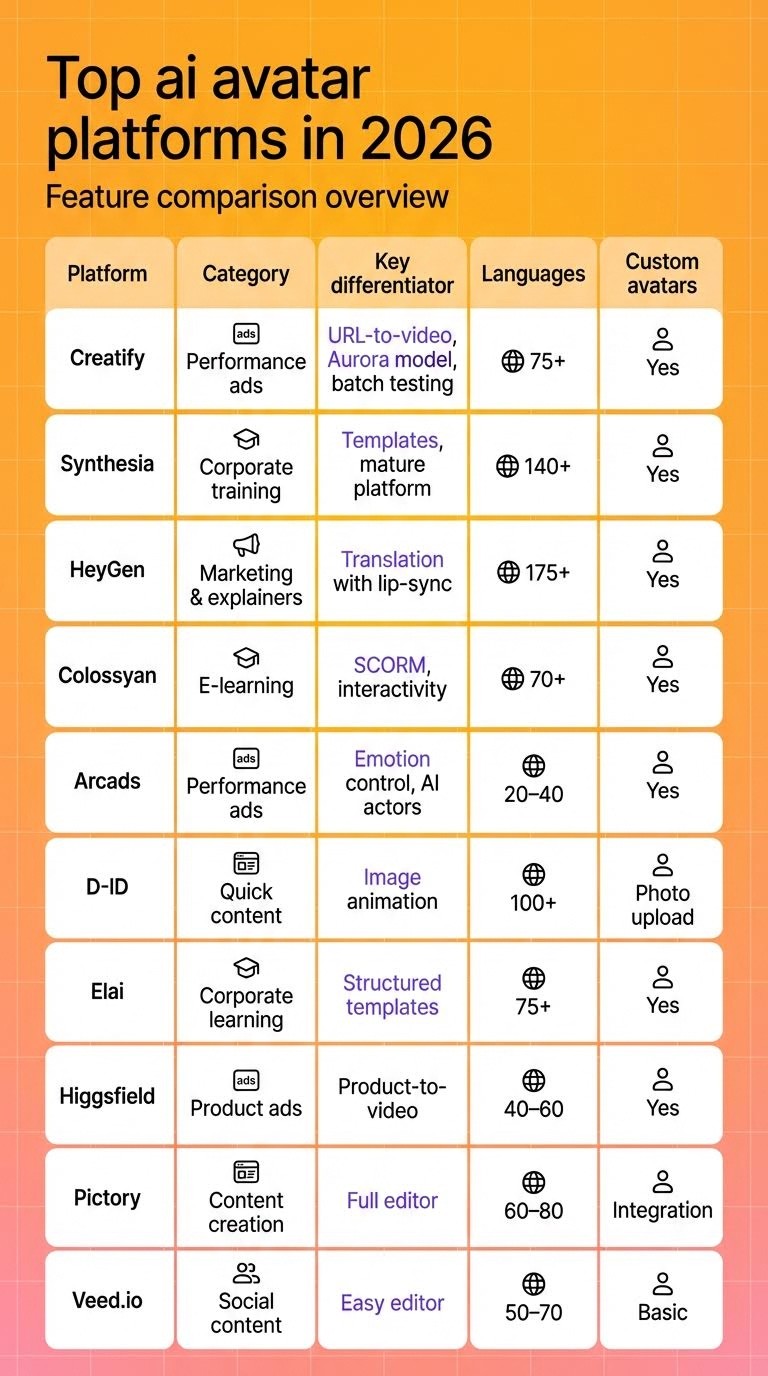
Image source: Creatify AI
Frequently Asked Questions
Which AI avatar generator has the best dedicated mobile app?
Can I use Synthesia directly on my iPhone?
How do I add an AI talking avatar to a CapCut video?
What is the best free AI avatar app for mobile editing?
Do AI avatar apps work without an internet connection?
Is my biometric data safe when creating an Instant Avatar?
Key Takeaways for Mobile AI Creators
Navigating the world of mobile AI avatars requires a balance of speed, security, and creative integration. Here is the distilled summary of how to succeed:
- Prioritize native apps like HeyGen for a smoother, more stable editing experience compared to mobile browsers.
- Use the selfie workflow to create digital twins that look more authentic and less "corporate" for social media audiences.
- Leverage 5G connections to achieve render times under one minute, but keep an eye on device temperature to avoid thermal throttling.
- Integrate with CapCut to add trending effects and audio that standalone AI avatar platforms currently lack.
- Enable biometric locks on your digital twin to protect your likeness from unauthorized use or theft.
- Check for hand blur and other technical artifacts before finalizing your export to ensure professional quality.
- Choose Zeely or Arcads if your primary goal is rapid e-commerce ad creation with specific emotion controls.
Start by testing a 30-second selfie avatar on HeyGen to see how your digital twin performs in a vertical social media format.