
How to Translate Spanish Audio to English Using AI and Real-Time Tools
The ideal method for converting Spanish audio to English depends entirely on whether the audio is pre-recorded or happening live. Modern artificial intelligence handles both scenarios using distinct technological approaches.
Bridging the language gap between Spanish and English has evolved significantly. In the past, translating spoken words required hiring a human interpreter or spending hours manually transcribing and translating recorded files. Today, artificial intelligence can process audio streams and deliver translated text or synthesized voiceovers in a fraction of the time.
Whether you are a content creator looking to localize a Spanish podcast for an English-speaking audience, a business professional navigating a live multinational conference call, or a traveler needing instant communication, the technology available in 2026 offers highly effective solutions. However, no single tool excels at every task. Selecting the appropriate software or hardware requires understanding the nuances of audio processing, dialect recognition, and latency requirements.
What Are the Top Ways to Translate Spanish Audio?
To understand how to approach your translation project, it is helpful to look under the hood of modern audio translation technology. The process is not a single action but rather a sophisticated pipeline consisting of three distinct technological pillars, as outlined by industry hardware developers like Timekettle.
The Three-Pillar Processing Pipeline
- Automatic Speech Recognition (ASR): The system first "listens" to the Spanish audio and converts the acoustic signals into Spanish text. This is often the most challenging step, as the AI must filter out background noise, account for overlapping speakers, and recognize regional accents.
- Machine Translation (MT): Once the Spanish text is generated, a neural machine translation engine processes the grammar, syntax, and context to produce an equivalent English text. Advanced engines look at whole sentences rather than word-by-word to preserve the intended meaning.
- Text-to-Speech Synthesis (TTS): If you require an audio output rather than just a written transcript, the final step involves generating an English voiceover. Modern TTS engines can replicate human intonation, pacing, and even the original speaker's emotional delivery.
The primary difference between various translation methods lies in how quickly they execute this three-pillar pipeline. For pre-recorded files, the system can take its time, analyzing the entire file to maximize accuracy. This is known as asynchronous processing.
Conversely, live translation requires synchronous processing. The AI must execute ASR, MT, and TTS almost instantaneously. According to recent data from superU AI, top-tier live voice agents now achieve sub-300ms latency. This rapid processing speed is what makes natural, back-and-forth conversation possible without awkward, extended pauses.
How to Choose the Right Translation Tool for Your Needs
Because the technological demands of translating a YouTube video differ drastically from translating a live church sermon, the software market has segmented into specialized tools. Identifying your specific use case is the first step in selecting a highly effective solution.
| Primary Use Case | Recommended Tool Category | Key Benefit | Typical Cost Structure |
|---|---|---|---|
| Content Creation (Videos/Podcasts) | File-Based AI ElevenLabs, Maestra | High-fidelity voice cloning and emotion preservation. | Subscription based on minutes/characters. |
| Professional Transcription | Text-Focused AI Happy Scribe | Interactive editor for human-in-the-loop corrections. | Pay-as-you-go or monthly subscription. |
| Live Business Meetings | Live Web Agents superU AI | Sub-300ms latency for natural conversation flow. | Enterprise licensing or usage-based tiers. |
| Travel & Face-to-Face | Hardware Timekettle Earbuds | Hands-free operation and directional microphones. | One-time hardware purchase. |
| Large Group Settings | Collaborative Apps Microsoft Translator | Supports up to 100 simultaneous participants. | Free for standard consumer use. |
The Importance of Dialect Recognition
A critical factor when choosing a tool is its ability to handle specific Spanish dialects. Spanish spoken in Madrid (Castilian) sounds remarkably different from Spanish spoken in Mexico City or Buenos Aires. The pronunciation of the letters "c" and "z" (the ceceo vs. seseo), the use of vos instead of tú, and vastly different regional slang can easily confuse a generic AI model.
Advanced platforms like Maestra AI explicitly allow users to select the specific regional dialect before processing the audio. If you are translating a documentary filmed in Argentina, selecting "Spanish (Argentina)" rather than a generic Spanish setting will significantly reduce ASR errors, particularly with localized idioms and pronunciation quirks.
How to Translate Recorded Spanish Files into English Text and Audio
If you have an existing MP3, WAV, or MP4 file, the translation process is straightforward but requires attention to detail to ensure professional results. File-based translation is widely regarded as one of the most accurate methods because the AI can analyze the entire context of the recording.
Image source: CAMB.AI
The Standard File Translation Workflow
- Prepare the Audio File: Ensure your file is in a supported format. Most platforms accept MP3, WAV, M4A, and MP4. For optimal results, the audio should be clear, with minimal background music or wind noise.
- Upload and Configure: Upload the file to your chosen platform. Select the source language (specifying the exact Spanish dialect if possible) and set the target language to English.
- Generate the Initial Transcript: The AI will process the file. Depending on the file size and the platform's server load, this can take anywhere from a few seconds to several minutes.
- Review and Edit (The Human-in-the-Loop): This is a mandatory step for professional use. According to data from Happy Scribe, automatic transcription technology typically reaches about 85% accuracy. You must manually review the generated English text to correct the remaining 15% of errors, which often involve proper nouns, industry-specific jargon, or complex idioms.
- Export the Final Product: Once the text is accurate, you can export it as a document (TXT, DOCX), a subtitle file (SRT, VTT), or proceed to generate a synthesized English audio track.
When working with file uploads, be aware of platform limitations. Free tiers often restrict file sizes (e.g., a 50MB maximum) or cap the audio length to just a few minutes. For long-form content like a one-hour podcast, a paid subscription is almost always necessary.
How to Translate Live Spanish Conversations in Real Time
Translating live speech presents a completely different set of challenges. Because there is no time to manually edit a transcript, the system must rely entirely on its zero-shot accuracy. This makes environmental control and hardware selection critical.
Software Apps vs. Dedicated Hardware
For casual encounters, mobile applications are a popular choice. Apps like Talkao allow users to speak into their smartphone, which then plays the translated English audio aloud. While convenient, passing a phone back and forth can feel unnatural during extended conversations.
Image source: Google Play
For frequent travelers or business professionals, dedicated hardware offers a significant step forward. Translation earbuds allow two people to wear one earbud each. As the Spanish speaker talks, the English speaker hears the translation directly in their ear, enabling hands-free, continuous eye contact. Furthermore, dedicated hardware often features specialized directional microphones designed to isolate the speaker's voice from ambient street noise, which dramatically improves the AI's recognition accuracy.
Solving the "Small Church" or Community Meeting Problem
A common challenge identified in community forums is providing live English translation for Spanish-speaking attendees in a group setting, such as a local community board meeting or a small church service, without the budget for professional interpreter booths.
According to experts at HolaSim, a highly effective, low-cost setup involves leveraging collaborative software like Microsoft Translator. Here is how to configure it:
- The Source: The Spanish speaker wears a high-quality lapel microphone connected to a smartphone or tablet running the host session of the translation app.
- The Broadcast: The app generates a unique QR code or session link.
- The Audience: English-speaking attendees scan the code with their own smartphones, join the session, and plug in their own headphones.
- The Result: As the speaker talks in Spanish, the app broadcasts the translated English audio (and text) directly to the attendees' personal devices. This method supports up to 100 simultaneous participants at no cost.
How to Get the Most Accurate Translation Results
Even the most advanced AI models can struggle with poor audio input. To maximize accuracy, users must take proactive steps to assist the software.
Environmental Control
The number one cause of translation failure is poor audio quality. AI models are trained on clean speech. When background noise, room reverberation (echo), or overlapping voices are introduced, the Speech-to-Text engine's accuracy plummets. Using noise-canceling microphones and recording in acoustically treated rooms (or at least quiet spaces with soft furnishings to absorb echo) is essential. If you are recording a remote interview, insist that the Spanish speaker uses a dedicated headset microphone rather than their laptop's built-in microphone.
Expert Tip: The Syllable Break Technique
If you are speaking live and the AI consistently fails to recognize a specific technical term or proper noun, use the "Syllable Break" technique. Pause for a microsecond between the syllables of the difficult word, and over-enunciate the consonants. This forces the AI's acoustic model to process the phonetic components individually, often resulting in a correct transcription on the second attempt.
Language Learning Integration
It is worth noting that audio translation tools are increasingly used not just for passive listening, but for active language acquisition. Discussions in language learning communities highlight the value of using real-time translation as "scaffolding." Instead of relying entirely on the English audio output, learners watch the live bilingual text transcription. This allows them to map spoken Spanish sounds to written words in real-time, verifying their comprehension and expanding their vocabulary organically.
The Hybrid Workflow for Professional Quality Audio
If you are producing commercial content—such as localizing a corporate training video or dubbing a Spanish YouTube channel into English—relying on a single "all-in-one" automated tool often yields subpar results. The synthesized voices can sound slightly robotic, and the unedited 85% accuracy rate will leave embarrassing translation errors in the final product.
Audio engineers and localization professionals utilize a "Hybrid Workflow" that combines the strengths of different specialized platforms.
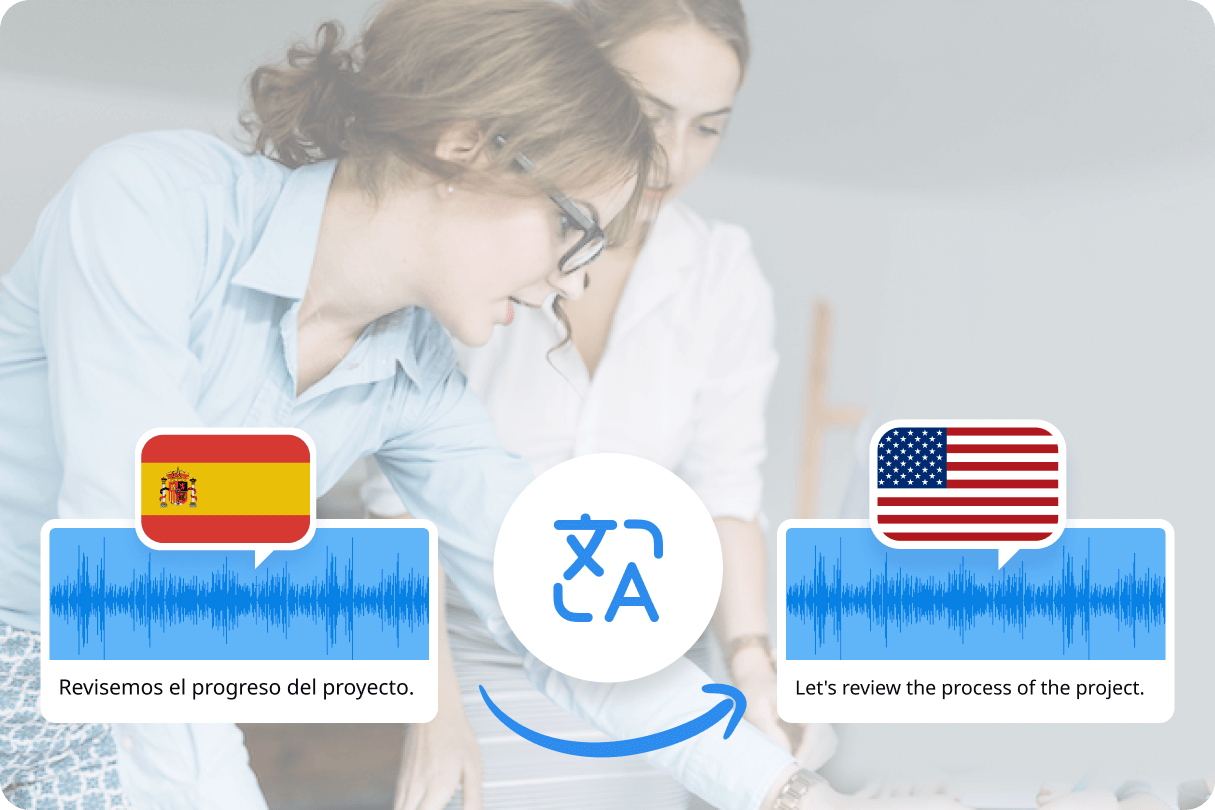
Image source: Notta
Step-by-Step Hybrid Workflow
- High-Accuracy Transcription: Upload the Spanish audio to a dedicated transcription service (like Happy Scribe) that specializes in text generation.
- Human Fine-Tuning: Export the generated English text. Have a bilingual editor review the text to fix contextual errors, adjust cultural nuances, and ensure the pacing matches the original video.
- Premium Voice Synthesis: Take the polished, 100% accurate English text and feed it into a dedicated AI voice generation platform like ElevenLabs.
- Audio Engineering: Use the voice platform's advanced sliders to adjust the pitch, stability, and emotional delivery of the synthesized English voice. Finally, sync this new audio track with your original video in a standard video editor.
A Note on Voice Cloning Ethics
Advanced platforms now offer "Voice Preservation" or "Voice Cloning" features. This technology analyzes the original Spanish speaker's vocal timbre and generates an English voiceover that sounds exactly like them. While highly innovative, this presents significant ethical and legal considerations. Professional platforms now enforce strict security protocols, requiring explicit, recorded consent from the original speaker before the system will allow their voice profile to be cloned for translation purposes.
Which Free Audio Translation Tools Actually Work?
While enterprise-grade solutions require paid subscriptions, several platforms offer capable free tiers for users with minimal requirements. It is important to understand the exact limitations of these free options before starting a project.
- Happy Scribe Offers a free trial that typically covers the first 10 minutes of audio. This is an excellent option for testing the platform's accuracy on a short interview clip before committing to a paid plan.
- ElevenLabs Provides a robust free tier, but it is strictly limited by file size and duration. Free users are generally capped at uploads of 1 minute or 50MB. This is sufficient for translating short social media clips (like TikToks or Reels) but inadequate for long-form podcasts.
- Microsoft Translator Stands out as a top-tier option for live, multi-person translation. The app is entirely free for standard consumer use and supports large group sessions, making it highly recommended for community events and educational settings.
Frequently Asked Questions
How can I translate Spanish audio to English in real-time for free?
What is the most accurate AI for Spanish to English audio translation?
Can I translate a 1-hour MP3 file from Spanish to English?
How do I translate a Spanish YouTube video into English audio?
Is my data safe when using online audio translators?
Final Thoughts and Best Practices
Translating Spanish audio to English has transitioned from a slow, manual process to a rapid, AI-driven workflow. By understanding the technological limitations and selecting the appropriate tool for your specific environment, you can achieve highly accurate, natural-sounding results.
- Match the tool to the latency requirement: Use asynchronous file uploaders for recorded content and synchronous apps/hardware for live conversations.
- Specify the regional dialect: Always configure your software to recognize the specific type of Spanish being spoken (e.g., Mexican vs. Castilian) to drastically reduce transcription errors.
- Control the acoustic environment: Use noise-canceling microphones and eliminate background noise to give the AI the cleanest possible audio signal.
- Implement the Hybrid Workflow: For commercial projects, separate transcription and voice synthesis to allow for human editing of the text before generating the final audio.
- Utilize the Syllable Break technique: When speaking live, pause between syllables of complex proper nouns to force better AI recognition.
- Verify voice cloning permissions: Always secure explicit consent before using AI to replicate a specific person's vocal characteristics.
