Is Blender AI? How Artificial Intelligence Works Inside the 3D Suite
The landscape of 3D modeling has shifted dramatically in recent years. For decades, creating a 3D asset required meticulous manual manipulation of vertices, edges, and faces. Today, the integration of artificial intelligence into creative workflows has led many beginners to ask a fundamental question: Is Blender AI?
The short answer is no. Blender remains a manual, open-source creative tool. However, the software has evolved into a highly capable environment for running machine learning models. Whether you are looking to generate base meshes from text prompts, automate tedious lighting setups, or instantly clean up noisy renders, understanding how AI operates within this 32-year-old software is essential for modern digital artists.
Does Blender Have Built-In Artificial Intelligence?
To understand Blender's relationship with artificial intelligence, it is crucial to distinguish between "Generative AI" (like ChatGPT or Midjourney) and "Narrow AI" (machine learning models trained for one specific mathematical task). Out of the box, Blender does not include generative AI. You cannot type "make a red car" into a vanilla Blender installation and expect a 3D model to appear.
However, Blender has utilized narrow machine learning for years to optimize the rendering process. These built-in features operate silently in the background to save artists hours of computation time.
- AI Denoising (Intel Open Image & NVIDIA OptiX)
- When rendering an image using Blender's Cycles engine, the initial passes are often filled with visual "noise" (grainy pixels) because the software is still calculating how light bounces around the scene. Instead of waiting hours for the light paths to resolve perfectly, Blender uses trained AI models—specifically Intel's Open Image Denoise (OIDN) and NVIDIA's OptiX—to predict what the final, clean image should look like. These models were trained on thousands of noisy and clean image pairs, allowing them to instantly smooth out a render while preserving sharp edges and textures.
- Cycles Path Guiding
- Introduced in recent versions, Path Guiding uses machine learning principles to calculate complex lighting scenarios (like light bouncing through a slightly open door into a dark room). The engine uses training samples during the initial render phase to build a spatial tree, "guiding" subsequent light rays toward areas that contribute the most to the final image, drastically reducing render times.
According to historical discussions among the core development team, the philosophy has generally been to embrace AI for "tedious tasks" while leaving the creative direction entirely in the hands of the human artist.
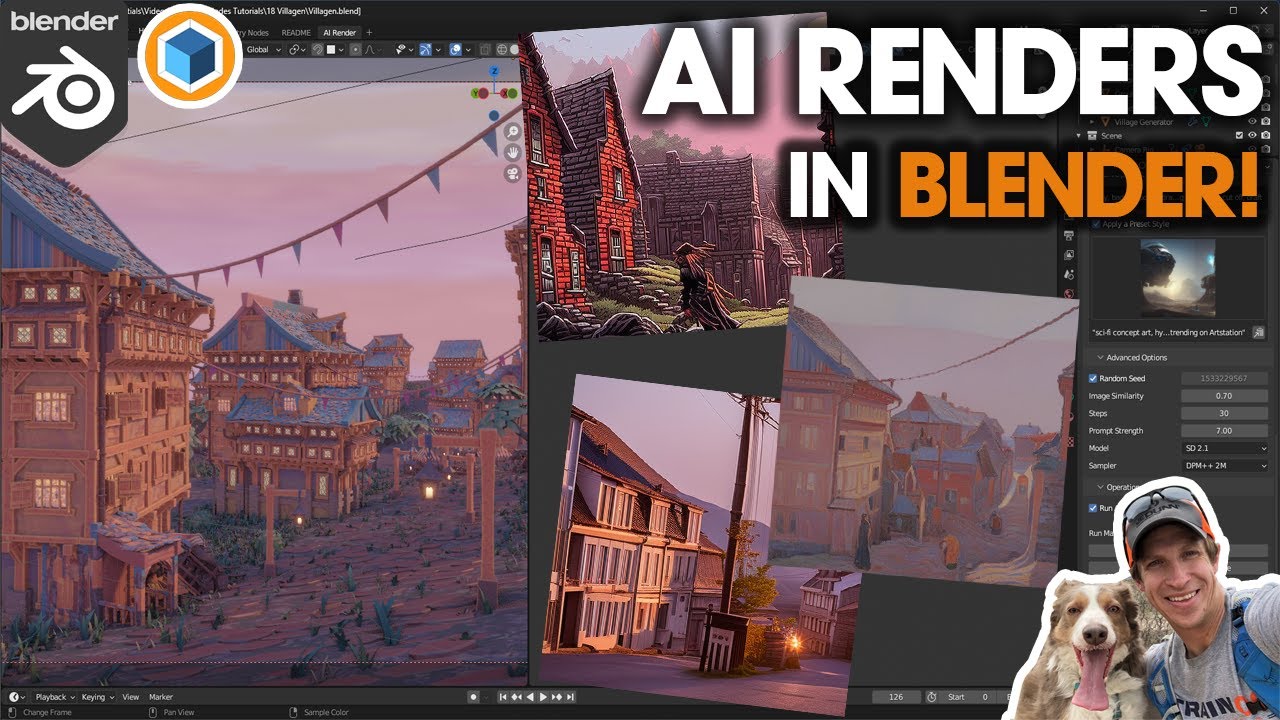
Image source: YouTube
Top AI Plugins to Generate 3D Models and Textures
While native AI is limited to rendering mathematics, Blender's open Python API allows developers to build bridges to external generative AI models. This plugin ecosystem is where the true "AI workflow" happens. By installing third-party add-ons, users can transform the 3D viewport into a generative canvas.
Plugins connecting to services like Meshy.ai allow users to input a text prompt and receive a fully textured 3D mesh directly in the viewport. While these models often lack production-ready topology, they are highly effective for rapid prototyping and background set dressing.
Instead of generating models, BlenderGPT generates Python code. Users can type natural language commands (e.g., "Create 10 random cubes and apply a glass material"), and the underlying LLM writes and executes the corresponding `bpy` script instantly.
Tools like Stability for Blender integrate Stable Diffusion directly into the shader editor. Artists can unwrap a basic model and use text prompts to project complex, seamless textures onto the geometry, bypassing the need for manual texture painting.
Installing these tools typically follows the standard Blender add-on procedure: downloading a `.zip` file, navigating to Edit > Preferences > Add-ons, and clicking "Install." However, because these plugins rely on external AI models, they almost always require either an active internet connection (to ping an API) or significant local hardware resources.
What Does BlenderGPT Cost and How Does It Work?
Because generative AI requires substantial server compute power, many of the top plugins operate on a freemium or subscription model. BlenderGPT, which has been adopted by over 50,000 artists and studios, is a prime example of how AI monetization works within the Blender ecosystem.
As of 2026, BlenderGPT operates on a subscription model priced at $14 per month (when billed annually). This subscription provides users with a monthly allotment of "credits" used to make API calls to the generation servers. The cost per generation depends heavily on the requested quality:
- Draft Quality (3 Credits): Generates low-poly, untextured block-outs. Ideal for testing scene composition or getting a basic shape to sculpt over.
- Balanced Quality (15 Credits): Provides mid-resolution meshes with basic vertex coloring or simple textures. A standard $14/mo subscription typically yields around 33 of these models per month.
- HQ Quality (25 Credits): Delivers higher-resolution meshes with more defined features, though they still generally require manual cleanup before being used in a final animation.
This credit system highlights an important reality for modern 3D artists: relying entirely on cloud-based AI generation introduces an ongoing operational cost, whereas traditional manual modeling only costs the artist's time.
Image source: YouTube
Why Your GPU Matters When Running AI Inside Blender
To avoid subscription fees and credit limits, many artists choose to run AI models locally on their own hardware. However, this approach introduces a severe hardware bottleneck: Video RAM (VRAM).
Running a local instance of Stable Diffusion for texture generation, or a local LLM for code scripting, requires loading massive neural network weights directly into your graphics card's memory. If you are simultaneously trying to render a complex scene in Cycles, your GPU is forced to juggle the 3D scene data, high-resolution textures, and the AI model all at once.
| Feature | Local AI (e.g., Local Stable Diffusion) | Cloud AI (e.g., BlenderGPT API) |
|---|---|---|
| Hardware Impact | High. Requires 8GB+ VRAM; competes with Blender for GPU resources. | Minimal. Processing happens on remote servers; only requires RAM for the final mesh. |
| Cost Structure | Free (after initial hardware purchase). No per-generation fees. | Subscription or pay-per-credit (e.g., $14/mo). |
| Privacy | Complete privacy. Prompts and scene data never leave your machine. | Data is sent to third-party servers, which may pose NDA risks for studio work. |
| Speed | Depends entirely on your local GPU capabilities. | Generally fast, but dependent on internet connection and server load. |
How to Fix Messy AI Topology and Broken Meshes
If you browse forums like BlenderArtists, you will quickly discover the number one complaint professionals have regarding AI-generated 3D models: messy topology.
Topology refers to the flow of polygons (vertices, edges, and faces) that make up a 3D object. A human artist builds a model using clean, logical "edge loops" that allow the model to bend and deform naturally during animation. Current AI models, however, do not "understand" 3D structure in a traditional sense. They often generate what the community calls "triangle soup"—a chaotic, dense web of polygons that looks fine from a distance but is completely unusable for rigging, animating, or UV unwrapping.
To integrate AI models into a professional workflow, artists must employ specific cleanup strategies:
- Automated Remeshing: Tools like Blender's built-in Voxel Remesher or third-party plugins like Quad Remesher can analyze the chaotic AI mesh and attempt to rebuild it with clean, four-sided polygons (quads). This works well for static objects like rocks or furniture.
- Manual Retopology: For characters or objects that need to deform, artists use the AI-generated mesh simply as a 3D reference. They use tools like the Shrinkwrap modifier to manually draw clean polygons over the surface of the AI model.
- The "Blank Canvas" Strategy: Many educators suggest using AI strictly for concepting. Instead of staring at a blank viewport, an artist generates a rough AI mesh to establish scale, silhouette, and composition, and then models the final asset from scratch using the AI generation as a visual guide.
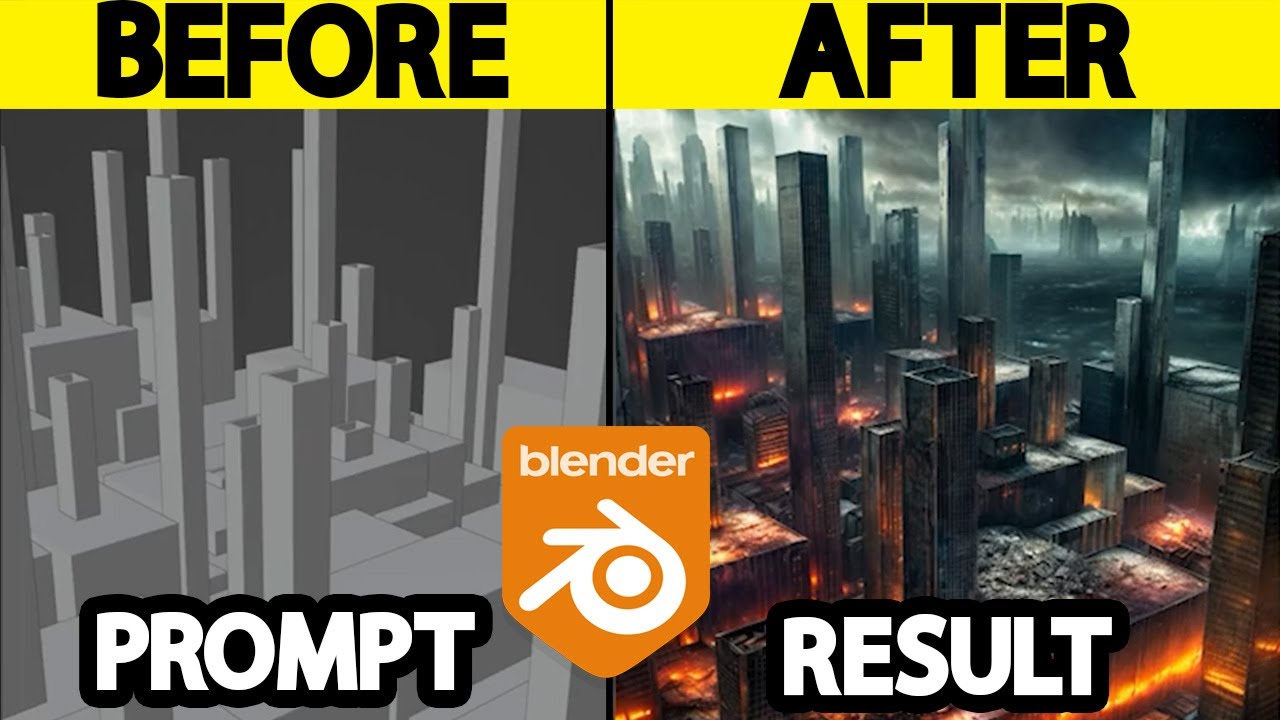
Image source: YouTube
The MCP Integration and the Future of AI Agents in Blender
The most significant advancement in Blender AI workflows in recent months is the adoption of the Model Context Protocol (MCP). Early AI plugins were essentially "static bridges"—you typed a prompt, the AI generated a file, and Blender imported it. The AI had no awareness of what was actually happening inside your specific Blender scene.
MCP changes this by allowing AI agents (like Claude or specialized 3D-Agents) to "read" the Blender scene graph (`bpy.data`). This creates a living integration. An artist can open a chat window inside Blender and say, "Make the lighting moodier and move all the cameras back by two meters." Because the AI can read the exact coordinates and properties of the existing objects, it can execute precise Python commands to manipulate the scene in real-time.
This contextual awareness is also vital for advanced generation techniques. As demonstrated in popular workflow tutorials by creators like Andrew Price, artists are moving away from simple text prompts and toward "Control" workflows. By feeding an AI agent specific data from Blender—such as a Z-depth pass (which shows the distance of objects from the camera) or a normal map—the artist forces the AI to generate textures or details that perfectly align with the existing 3D geometry, rather than letting the AI guess the composition.
Why the Blender Foundation Limits AI-Generated Code
Despite the explosion of AI tools in the user ecosystem, the core team that builds and maintains Blender has taken a highly cautious approach to artificial intelligence. In early 2026, a significant policy proposal was discussed on the official Blender Devtalk forums regarding the submission of AI-generated code to the core software repository.
The Blender Foundation's stance discourages the direct contribution of AI-generated code and assets for several critical reasons:
- The Copyright Gray Area: Because Blender is a strictly open-source project (GNU GPL), every piece of code and artwork included in the official release must have a clear, unencumbered copyright lineage. AI models trained on scraped data introduce legal ambiguities that the Foundation cannot risk absorbing into the core project.
- The Burden on Reviewers: AI can generate thousands of lines of code in seconds. If contributors submit massive blocks of AI-generated C++ without deeply understanding it themselves, the burden of debugging and verifying that code falls entirely on the volunteer core developers.
- The "Game of Telephone": There is a growing concern about AI models training on code that was previously generated by other AI models, leading to a degradation in code quality and optimization over time.
The Foundation emphasizes accountability: developers are welcome to use AI as a personal learning tool or to draft concepts, but any code submitted to Blender must be thoroughly understood, manually reviewed, and owned by the human contributor.
How Blender is Used to Train External AI Models
When asking "Is Blender AI?", it is fascinating to look at the inverse relationship: Blender is actually one of the primary tools used to create artificial intelligence in other industries.
Machine learning models—especially computer vision systems used in self-driving cars, robotics, and medical imaging—require millions of annotated images to learn how to recognize objects. Gathering and manually labeling millions of real-world photographs is incredibly expensive and time-consuming.
Instead, researchers use Blender as a Synthetic Data Generator. Because Blender has a robust physics engine, precise lighting controls, and Python automation, researchers can set up a 3D scene (e.g., a city street) and program Blender to automatically generate thousands of variations. The software can randomize the time of day, weather conditions, camera angles, and pedestrian placements, rendering out thousands of perfectly labeled images overnight.
This process, known as "domain randomization," ensures that an AI trained to drive a car can recognize a stop sign whether it is raining, snowing, or glaringly sunny. In this way, a 3D modeling suite first released in 1994 has become a foundational pillar for the development of modern artificial intelligence.
Image source: YouTube
Frequently Asked Questions
Is there a built-in AI in Blender?
What is a top free AI plugin for Blender?
Can Blender generate 3D models from text?
Is BlenderGPT free to use?
Does AI-generated art in Blender have copyright?
Do I need a powerful GPU to use AI in Blender?
Final Thoughts
Understanding the intersection of Blender and artificial intelligence is crucial for navigating the modern 3D industry. While AI is rapidly changing how assets are conceptualized, it has not replaced the need for fundamental 3D skills.
- Blender is a host, not an AI: The core software remains a manual C++/Python tool, relying on third-party plugins for generative capabilities.
- Native AI is highly specialized: Built-in machine learning is restricted to optimizing render times via denoising and path guiding.
- Hardware matters for local workflows: Running AI locally alongside heavy 3D scenes requires significant VRAM (8GB+ minimum).
- Topology remains a hurdle: AI-generated meshes almost always require manual retopology before they can be rigged or animated professionally.
- Blender trains the AI: The software is widely used by researchers to generate synthetic data for training external computer vision models.
If you are new to 3D modeling, focus on learning Blender's core manual tools first, and treat AI plugins as supplementary assistants for prototyping rather than one-click solutions.