What Are the Real Limitations of Current AI Video Generation Technology?
As of August 2026, AI video generation has reached a "Production Wall." While models like Sora and Kling produce visually stunning clips, they remain shot generators rather than movie makers. The primary limitations include a lack of physical world understanding (objects floating or melting), temporal inconsistency (characters changing appearance mid-shot), and a strict 15-second duration cap for high-fidelity output. For professional use, these tools currently require a "Human-in-the-Loop" workflow to fix errors that AI cannot yet resolve on its own.
The rapid evolution of generative AI has led to a surge in high-quality video synthesis. However, a significant gap remains between the viral clips seen on social media and the rigorous standards required for broadcast, commercial advertising, or feature-length storytelling. Many creators find that while AI can generate a beautiful five-second shot of a sunset, it struggles to maintain the logic of a character walking through a door or interacting with complex machinery.
According to research from Crews Control, the current state of the technology is often a "stochastic parrot for motion"—it predicts which pixels should move next based on patterns, but it does not possess an underlying model of physics, gravity, or 3D space. This leads to a series of "hard walls" that even the most advanced diffusion models have yet to scale.
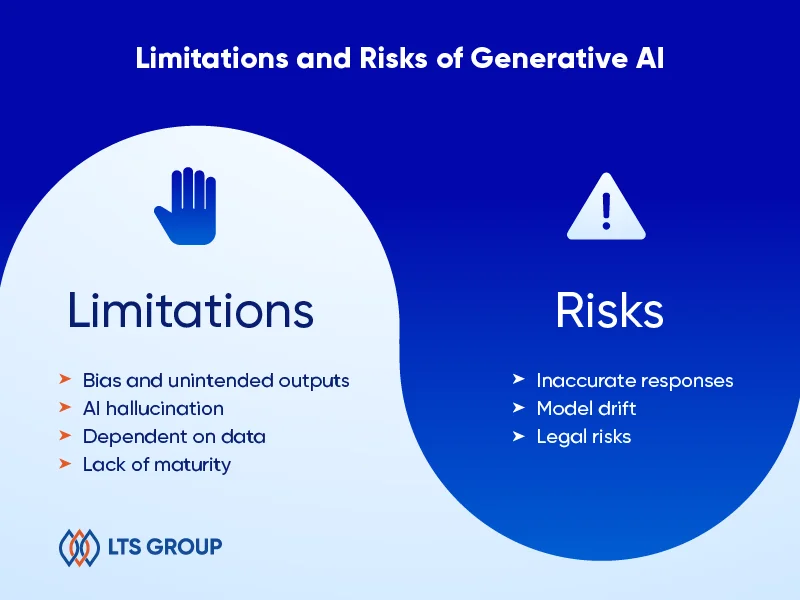
Image source: LTS Group
Why Does AI Video Struggle with Physics and Spatial Logic?
One of the most jarring limitations of current AI video is its failure to adhere to the laws of the physical world. Because these models are trained on 2D video data rather than 3D simulations, they lack an inherent understanding of weight, momentum, and collision.
The Gravity and Friction Problem
In many AI-generated scenes, objects appear to "slide on ice" rather than walk or roll with realistic friction. This is particularly evident in human locomotion. A character’s feet may not properly plant on the ground, leading to a "moonwalking" effect where the character moves forward while their feet slide backward. As noted by SaaS Hub, digital physics failures often result in objects floating or moving without the necessary momentum to justify their speed.
Object Interpenetration and Texture Melting
When two objects interact in an AI video—such as a hand grabbing a cup—the pixels often "melt" together. This is known as object interpenetration. Instead of the hand wrapping around the solid surface of the cup, the fingers might merge into the ceramic. This "pixel mess" is a byproduct of the diffusion process, which prioritizes visual texture over structural integrity. During rapid camera movements or complex actions like a backflip, fine details like armor patterns or facial features can "decay," turning into a blurry soup of colors before reforming.
The 180-Degree Rule and 3D Mapping
AI models currently lack a persistent "world map." In traditional cinematography, the 180-degree rule ensures spatial consistency for the viewer. AI, however, may have a character walk into a room from the left and, after a brief camera pan, have them appear as if they entered from the right. In extreme cases, characters have been known to "fall through the floor" only to reappear in an impossible location because the model does not understand that the floor is a solid, continuous boundary.
The Temporal Wall and the Struggle for Long-Form Narrative
If you have ever wondered why most AI video showcases are collections of very short clips, the answer lies in the "Temporal Wall." Maintaining logic over time is exponentially more difficult for a neural network than generating a single static frame.
Why Most AI Video Clips Stop at 15 Seconds
Current compute costs and memory bottlenecks generally limit high-fidelity AI video to segments between 3 and 15 seconds. Generating a continuous 60-second shot requires the model to keep an immense amount of data in its "active memory" to ensure the end of the shot matches the beginning. As Troy Lendman points out, the hardware requirements for long-form generation are currently beyond the reach of most consumer-grade systems, funneling users toward expensive cloud-based platforms.
The Challenge of Maintaining Narrative Flow
Beyond the technical duration, there is the issue of "intent." AI can generate motion, but it cannot yet generate *performance*. If a script requires a character to look surprised, then slowly transition to anger, current models often jump abruptly between emotions or produce a generic "average" of the two. This lack of emotional nuance makes AI video a top choice for background visuals or B-roll, but a difficult tool for lead character performances.
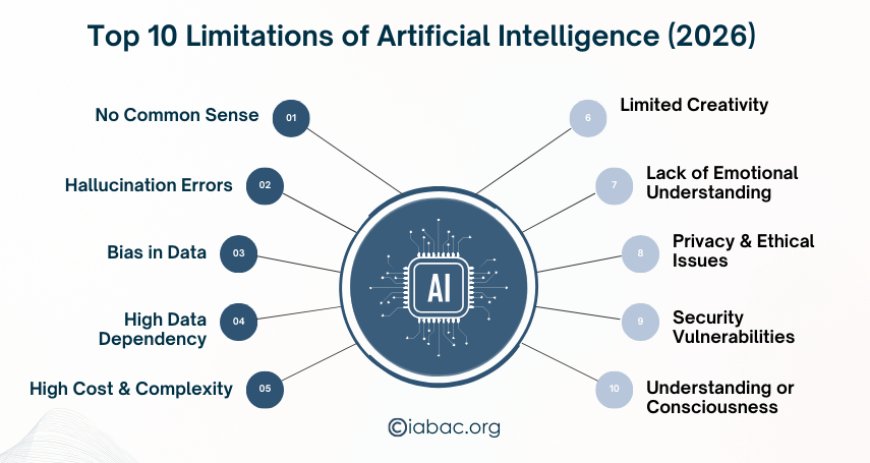
Image source: IABAC
How Visual Inconsistency and Morphing Break the Illusion
Visual consistency—the ability for a character or object to look exactly the same from every angle—is perhaps the most significant hurdle for generative video. In the industry, this is often referred to as the "Object Permanence" problem.
The Failure of Object Permanence
If an AI-generated character turns their head 180 degrees, the model often "forgets" the specific details of the face it just created. When the character turns back, their eye color might have changed, their nose might be a different shape, or their earrings might have vanished. This "morphing" effect is a constant battle for creators. While some tools allow for "character referencing," the results are rarely 100% stable across different lighting conditions or camera angles.
Limb Counts and Anatomical Anomalies
The "uncanny valley" is alive and well in AI video. During fast-paced movement, it is common to see extra fingers appear on a hand or a third leg briefly manifest during a running sequence. These anatomical anomalies occur because the AI is predicting pixels based on a massive dataset of images, but it doesn't actually "know" that a human should only have two arms. These glitches are particularly prevalent in "crowd shots," where the background characters often dissolve into multi-limbed shapes.
Clothing and Environment Shifts
Consistency issues extend to the environment. A character might start a scene wearing a blue button-down shirt, but as they walk into a shadow, the shirt might morph into a dark t-shirt. Similarly, background elements like windows or trees often shift positions or change species between frames. For brand-sensitive content—where a product must look identical in every shot—this level of unpredictability is often a deal-breaker.
The Technical Barriers of Multimodal Alignment and Text
Video is rarely just about moving pictures; it involves text, sound, and the precise alignment of the two. This is an area where current technology remains notably limited.
The Difficulty of Legible Text Rendering
AI video models still struggle significantly with "written" language. If you prompt an AI to create a video of a man walking past a sign that says "Coffee Shop," the sign will likely display gibberish or a strange hybrid of Latin-like characters. This happens because the model treats text as a visual pattern rather than a linguistic one. While image generators have improved in this area, the added dimension of motion makes maintaining legible text across 120 frames exceptionally difficult.
Lip-Syncing and Environmental Audio Gaps
True "multimodal" generation—where the AI creates the video and the perfectly synced audio simultaneously—is still in its infancy. Most current workflows involve generating the video first, then using a separate AI tool for lip-syncing (like HeyGen or ElevenLabs), and finally adding manual sound effects (Foley). Aligning the precise micro-movements of a human mouth with specific phonemes remains a high-effort task that AI cannot yet do "out of the box" with perfect realism.
Professional Workarounds to Overcome Current AI Limitations
Despite these flaws, professional studios are finding ways to integrate AI into their pipelines. They do this not by letting the AI "take the wheel," but by using it as a sophisticated brush.
- Using Image-to-Video (Img2Vid) for Keyframing: Instead of using a text prompt, professionals start with a high-quality static image (the "anchor"). This forces the AI to maintain the character's appearance and the environment's layout, significantly reducing morphing.
- Smart Shot Selection: To hide AI artifacts, creators often stick to close-ups with shallow depth of field. By blurring the background, they reduce the "visual clutter" that the AI has to calculate, which minimizes the chance of background objects warping.
- The "Audio-First" Workflow: Experts recommend never generating video and audio at the same time. By creating a solid audio track first, editors can "edit to the beat," using AI to generate short bursts of motion that fit the pre-established rhythm.
- Post-Production Cleanup: Many "perfect" AI videos seen online have undergone extensive manual cleanup. Editors use tools like Adobe After Effects to mask out extra limbs or use "Generative Fill" to fix broken textures in specific frames.
Legal and Ethical Risks for Businesses and Creators
Beyond the technical "pixel mess," there are significant legal hurdles that prevent widespread corporate adoption of generative video.
The Copyright Gray Zone
The training data for many leading video models includes copyrighted films, YouTube videos, and social media content. As of 2026, the legal status of "fair use" regarding this training data remains contested in several jurisdictions. Many businesses are hesitant to use AI-generated video in national ad campaigns for fear of future litigation or the inability to trademark their own AI-generated assets.
Deepfake Targets and Brand Safety
Because models are trained heavily on public figures, they are "too good" at recreating celebrities and politicians. This creates a brand safety nightmare. A company using AI video might accidentally generate a character that looks suspiciously like a famous actor, leading to "Right of Publicity" lawsuits. According to Crews Control, some creative agencies now face contracts that explicitly forbid the use of GenAI to avoid these liabilities.
Hard Walls vs Scaling Hurdles: What Will Change by 2027?
It is important to distinguish between problems that can be solved with more "brute force" (scaling) and problems that require a fundamental shift in how AI works (hard walls).
| Feature | Current Status (2026) | Type of Challenge | Outlook for 2027+ |
|---|---|---|---|
| Generation Speed | Slow (Minutes per clip) | Scaling Hurdle | TurboDiffusion may increase speed by 100x. |
| Clip Duration | 3–15 Seconds | Scaling Hurdle | Expected to reach 60+ seconds with better VRAM. |
| Physical Logic | Poor (Floating/Melting) | Hard Wall | Requires integration with 3D physics engines. |
| Object Permanence | Inconsistent | Hard Wall | Requires "World Models" with long-term memory. |
While "TurboDiffusion" research suggests we may soon see a 100–200x increase in generation speed, the "Hard Walls" of spatial logic and emotional nuance will likely require a move away from pure diffusion models toward "World Models" that understand 3D geometry and causality.
Frequently Asked Questions
Why does AI video struggle with human hands and fingers?
AI video models do not have a skeletal or anatomical model of the human body. They predict pixels based on 2D patterns. Because hands are highly complex, move in many directions, and often overlap with other objects, the AI frequently gets "confused" about which finger belongs to which part of the hand, leading to the infamous "extra finger" or "melting hand" glitches.
Can I use AI video for a 30-second commercial?
Yes, but not in a single generation. To create a professional 30-second commercial, you would typically generate 10 to 15 separate 3-second clips. You would then use traditional video editing software to stitch them together, add transitions, and overlay a consistent audio track. This "Human-in-the-Loop" approach is currently the standard for professional-grade AI content.
Is AI video legal for commercial use?
This depends entirely on the platform's Terms of Service and the training data used. Some platforms offer "commercially safe" models trained on licensed stock footage, while others are in a legal gray area. Furthermore, in the US, the Copyright Office has generally ruled that purely AI-generated content without significant human creative input cannot be copyrighted.
How do I stop AI video from morphing or changing colors?
The most effective way to reduce morphing is to use an "Image-to-Video" workflow. By providing a high-quality starting frame, you give the AI a visual anchor. Additionally, keeping the "motion bucket" or "motion strength" settings lower can prevent the AI from taking too many creative liberties that lead to visual distortion.
What is the best AI video tool for consistency?
While no tool is perfect, those that allow for "Character References" or "LoRA" (Low-Rank Adaptation) training rank among the top choices for consistency. These tools allow you to "teach" the AI what a specific character looks like before you start generating video, which helps maintain facial features across different shots.
The Bottom Line
AI video generation is a powerful partner in the creative process, but it is not yet a replacement for traditional production. Navigating its current limitations requires a blend of technical knowledge and creative workarounds.
- AI is a shot generator, not a director; it excels at short, visual bursts but fails at sustained narrative logic.
- Physics errors are inherent to the current diffusion process, which lacks a 3D understanding of the world.
- Temporal consistency remains the primary "Production Wall" for creators aiming for feature-length content.
- Human-in-the-loop workflows are mandatory for any project requiring brand safety or anatomical accuracy.
- Legal risks regarding copyright and right of publicity necessitate careful vetting of AI platforms.
- Scaling vs. Hard Walls: Expect faster speeds soon, but don't expect "perfect" physics without a fundamental shift in AI architecture.
To get started with AI video today, focus on generating individual B-roll shots rather than trying to create a full scene in a single prompt.