What Is New in Notion AI With the Shift to Notion 3.0 and Autonomous Agents
Image source: YouTube
The landscape of digital productivity has shifted significantly in recent months. Notion, having surpassed the 100 million user milestone, has officially moved into its "3.0 era." This update represents a fundamental change in how artificial intelligence interacts with user data. We are no longer looking at AI as a simple text generator; instead, Notion has introduced "AI as a worker," a concept that allows the platform to function as an active participant in project management and data analysis.
In this guide, we will explore the latest Notion AI news, focusing on the technical advancements of Notion 3.0, the new developer ecosystem, and the critical changes to the pricing model that every workspace administrator needs to understand for the 2026 fiscal year.
How Notion 3.0 Changes Everything with Autonomous Agents
The most notable advancement in Notion 3.0 is the introduction of Autonomous Agents. Unlike standard chatbots that require a prompt for every single response, these agents are designed to perform multi-step tasks independently. According to recent industry reports, Notion has successfully turned its workspace into a central hub where these agents can live and work alongside human teammates.
The 20-Minute Autonomous Window
One of the most impressive technical specifications of the new agents is their ability to work for up to 20 minutes without user intervention. During this window, an agent can scan hundreds of pages, cross-reference data across multiple databases, and even generate new content or pages based on its findings. This is a significant step forward from the previous iteration of Notion AI, which was limited to single-page context and immediate responses.
For example, you can now assign an agent to "Audit all project timelines for Q3 and flag any resource conflicts in a new summary page." The agent will then navigate through your workspace, identify the relevant databases, analyze the dates and assigned personnel, and produce a comprehensive report while you focus on other tasks.
Building a Memory Bank for Custom Instructions
To ensure these agents operate within the specific parameters of your organization, Notion has introduced the Memory Bank. This feature allows users to designate specific pages as "instruction manuals" for the AI. By pointing an agent to a page containing your brand voice guidelines, technical documentation, or project management methodologies, you provide it with a persistent context that it remembers across all tasks.
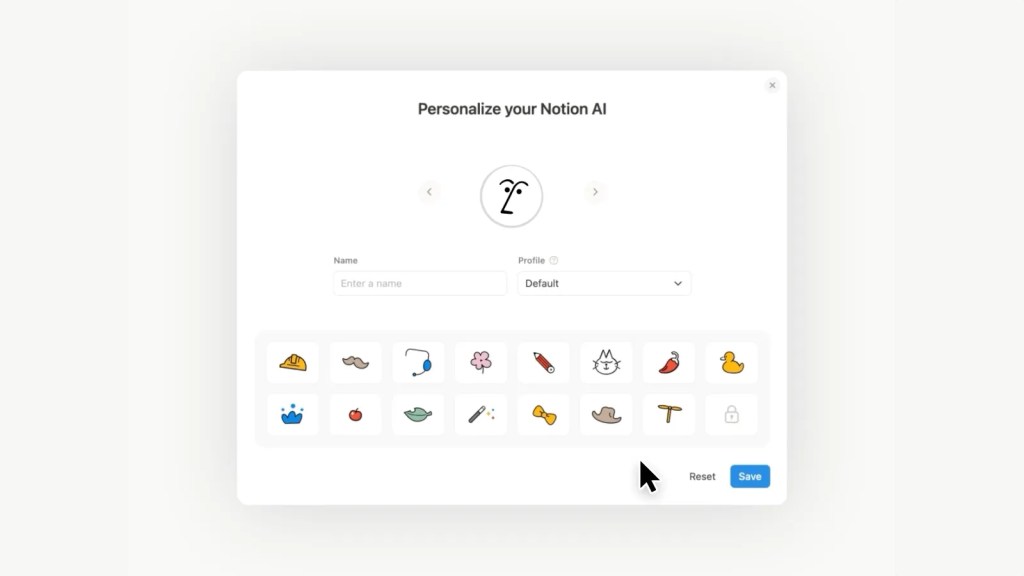
Image source: TechCrunch
New Automation Triggers and Calendar Integration
The integration between Notion AI and the Notion Calendar has reached a new level of maturity in 2026. The goal is to reduce "context switching"—the time lost when moving between your notes and your schedule. The new Post-Meeting Automation suite is a prime example of this synergy.
When an AI Meeting Note is finalized, you can now set Custom Agent Triggers. These triggers can automatically:
- Send a summary recap to a specific Slack channel.
- Create Jira or GitHub tickets based on identified action items.
- Update a project's "Last Contacted" date in a CRM database.
Furthermore, the introduction of Speaker Labels in meeting notes has notably improved the accuracy of these summaries. By identifying individual voices through active microphone data, the AI can now attribute specific decisions to specific team members, making the resulting action items much more reliable. Natural language scheduling also allows users to @-mention the AI to "Find a time for a follow-up next Tuesday," and the agent will handle the calendar coordination entirely within the desktop app.
What Are Notion Workers and the Developer Platform?
For the first time, Notion is positioning itself as a "core infrastructure" tool rather than just a productivity app. This shift is driven by the Notion Workers platform. Workers are cloud-based sandboxes that allow developers to run custom JavaScript or TypeScript code directly within the Notion environment.
This is a significant advancement because it removes the need for third-party middleware like Zapier or Make for many common automation tasks. Developers can now write logic that interacts directly with the Notion API, performing complex calculations or data transformations that were previously impossible.
The Model Context Protocol (MCP)
Notion has adopted the Model Context Protocol (MCP) to facilitate secure connections between its AI and external data services. This protocol ensures that when an agent pulls data from an external source—like a proprietary SQL database or a specialized analytics tool—it does so through a standardized, secure channel that maintains Notion's high security standards, including SOC 2 and HIPAA compliance.
External Agent Orchestration
In a move that acknowledges the diverse AI ecosystem, Notion now supports External Agent Orchestration. Users can @-mention external tools like Claude Code, Cursor, or Codex directly within a Notion board. This allows teams to assign technical tasks to specialized external models while keeping the project management and documentation centralized in Notion. It ranks among the most flexible approaches to AI integration currently available in the enterprise market.
How the New Notion Credits Economy Works
Perhaps the most critical piece of Notion AI news for administrators is the transition in pricing. The flat $10/month AI add-on, which primarily covered generative writing, is being phased out in favor of a usage-based Credit system for advanced Agentic features.
As of May 3, 2026, the free trial period for Custom Agents on Business and Enterprise plans has concluded. Organizations must now purchase credit bundles to power their autonomous workflows. This change reflects the high computational cost of running agents that work for 20 minutes at a time compared to the low cost of generating a single paragraph of text.
| Feature | Legacy AI Subscription | New Credit System |
|---|---|---|
| AI Writing & Summarizing | Included ($10/mo) | Included (Unlimited*) |
| Custom Autonomous Agents | Not Available | Usage-based Credits |
| Notion Workers (Code Execution) | Not Available | Usage-based Credits |
| External Agent Mentions | Not Available | Usage-based Credits |
Administrators should monitor the new Usage Dashboard in the Settings menu to track credit consumption. Notion provides estimates for common tasks—for instance, running a full workspace audit might consume 50 credits, while a simple meeting summary might only consume 2. This granular control allows teams to budget more effectively for their specific needs.
Advanced Workflow: The Sales Enablement Agent
To understand the power of these new features, let's look at a sophisticated workflow that combines Agents, Workers, and interactive blocks. This "Sales Enablement Agent" is a top-tier example of how Notion 3.0 functions in a real-world business environment.
- Data Retrieval: A salesperson triggers a Custom Agent on a client's page. The agent scans the "Customer History" database and pulls all previous interactions, purchase amounts, and support tickets.
- The Worker Trigger: The agent passes this data to a Notion Worker. The Worker runs a custom script to calculate the client's specific ROI (Return on Investment) based on their actual usage data.
- Interactive HTML Blocks: Instead of just outputting text, the agent generates an Interactive HTML Block. This is a live, mini-app inside the Notion doc that features a slider. The client can move the slider to see how their ROI changes if they upgrade their service tier.
This move from static text to functional, interactive components within a document is a significant step forward. It transforms a proposal from a passive reading experience into an active, data-driven tool that helps close deals.
Why You Should Not Split Your Workspaces for AI
A common mistake among long-term Notion users is splitting their personal, work, and study data into separate workspaces to "stay organized." However, in the age of Notion AI, this strategy is often counterproductive. Community wisdom from power users suggests that a Single Source of Truth is essential for agent performance.
"The intelligence of an agent is directly proportional to the context it can access. When you split your data, you are essentially giving your AI a lobotomy. It can't see your schedule when it's planning your work, and it can't see your research when it's writing your reports." — Insights from the Notion Power User Community
Because Notion maintains strict permissions and enterprise-grade security, you can safely keep diverse data in one workspace. Agents respect the existing permission hierarchy; an agent will never "see" or "use" data that the user who triggered it doesn't have access to. Consolidating your data ensures that when you ask an agent to "Optimize my week," it has the full context of your professional deadlines and your personal commitments.
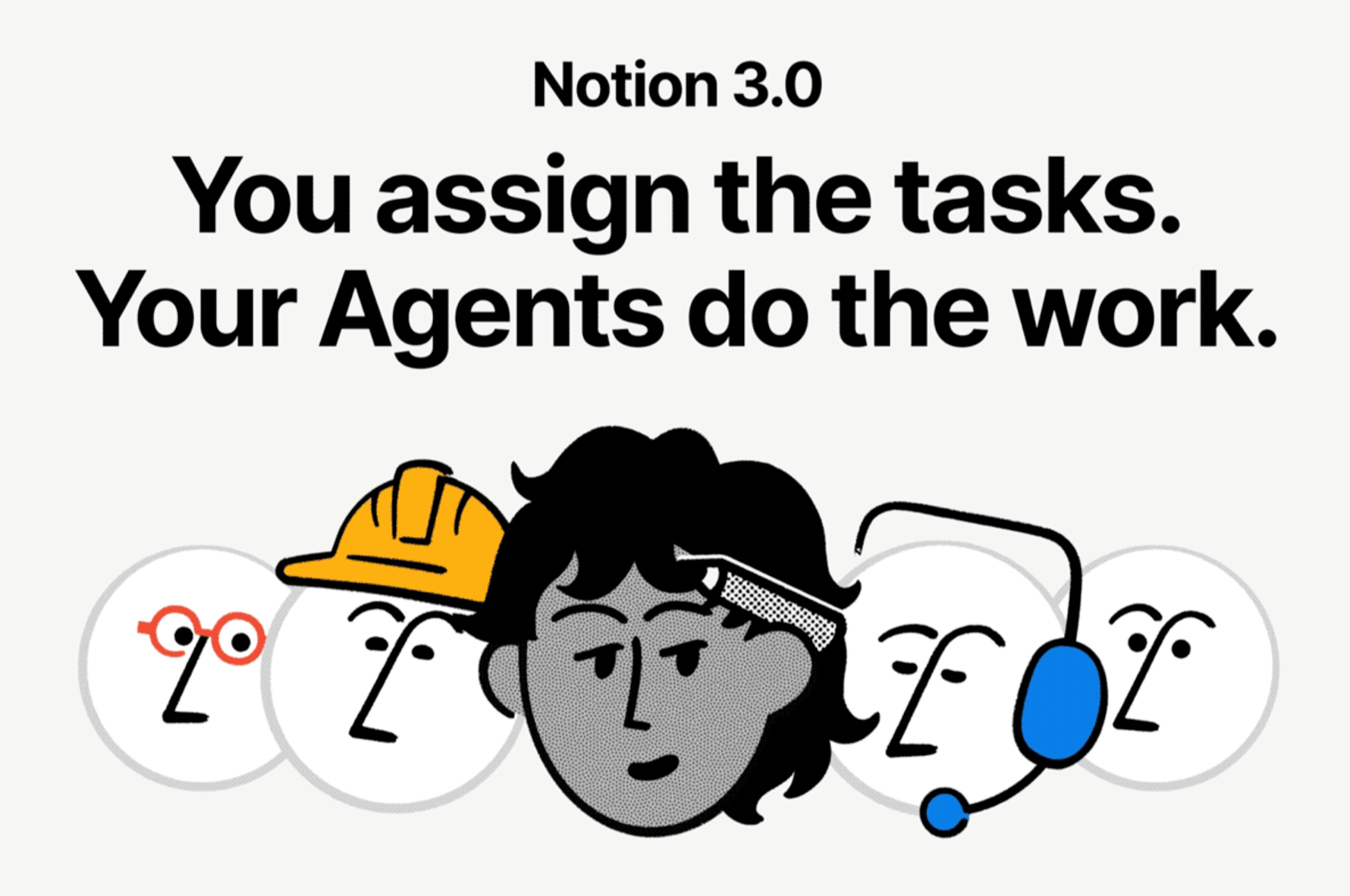
Image source: The Verge
Troubleshooting Your Notion AI Update
If you are reading about these features but do not see them in your sidebar, you are likely experiencing the "stuck update" phenomenon. Notion typically rolls out major features over a 24-hour period using A/B testing to ensure stability. According to Notion expert Matthias Frank, there are a few steps you can take to force the 2026 feature set to appear:
- The Hard Refresh
- On the desktop app, use Cmd+R (Mac) or Ctrl+R (Windows). This clears the local cache and forces the app to fetch the latest UI components from Notion's servers.
- Clear Desktop Cache
- If a refresh doesn't work, go to the "Notion" menu in your system tray, select "Reset App and Clear Local Data." You will need to log in again, but this often resolves version mismatches.
- High Contrast Mode
- Notion has introduced a new display setting for better readability. If the new UI looks "blurry" or lacks definition, go to Settings > Preferences > Appearance and toggle High Contrast Mode. This is particularly helpful for distinguishing the new agentic icons and borders.
Frequently Asked Questions
Is Notion AI free for students in 2026?
As of late 2026, the Education plan still includes basic AI writing and summarizing features at no extra cost. However, the new Autonomous Agents and Notion Workers require credits. Students typically receive a small monthly stipend of free credits, but heavy usage for research automation may require a paid credit add-on.
Can Notion Agents edit my databases automatically?
Yes. One of the defining features of Notion 3.0 is the ability for agents to have "write" access. You can instruct an agent to "Update the status of all overdue tasks to 'Urgent'," and it will modify the database entries independently. You can always review these changes in the page history.
Does Notion AI work with Microsoft Outlook?
Yes, Notion has expanded its connectors. You can now link your Outlook Calendar and Mail to Notion. This allows agents to draft email replies based on your project notes or sync meeting invites directly into your Notion-based project trackers.
What happens if I run out of Notion Credits?
When your credit balance reaches zero, autonomous agents will stop functioning, and you will receive a notification. Basic AI features (like writing and summarizing) will continue to work if you have the legacy subscription, but agentic workflows will be throttled until you purchase a top-up bundle.
How do I build a Custom Agent?
Building an agent is now a "no-code" process. Click the "Create Agent" button in the sidebar, give it a name, and select a "Memory Bank" page for its instructions. You can then define its triggers (like "When a new page is added to this database") and its actions.
Key Takeaways for the Notion 3.0 Era
Notion's evolution into an agentic workspace marks a significant advancement in how we interact with our data. To stay ahead, keep these points in mind:
- Monitor your Credit Dashboard regularly to avoid workflow interruptions, especially now that the May 2026 free trial has ended.
- Consolidate your workspaces to provide agents with the maximum context needed for high-quality reasoning.
- Leverage Notion Workers for custom logic, reducing your reliance on expensive third-party automation tools.
- Use the Memory Bank to store brand guidelines and SOPs, ensuring your agents always speak your language.
- Experiment with Meeting Triggers to automate the tedious task of post-call follow-ups and ticket creation.
- Utilize High Contrast Mode if you find the new, complex UI difficult to navigate on standard displays.
Start by setting up one "Meeting Note Trigger" this week to experience how autonomous agents can reclaim your time.